
Understanding Usage & Billing
What is the Wallet?
CareFunnels uses a Wallet to cover pay-as-you-go usage costs tied to communication and certain platform services.
Think of it like a prepaid balance that gets drawn down as the system is used.
What creates charges
Most clients see charges in these categories:
1) Phone Minutes (Inbound & Outbound Calls)
Calls answered and placed through your phone system
Voicemail and related call handling features (when enabled)
2) Phone Numbers
Monthly cost for local and/or toll-free numbers assigned to your account
More numbers = higher total
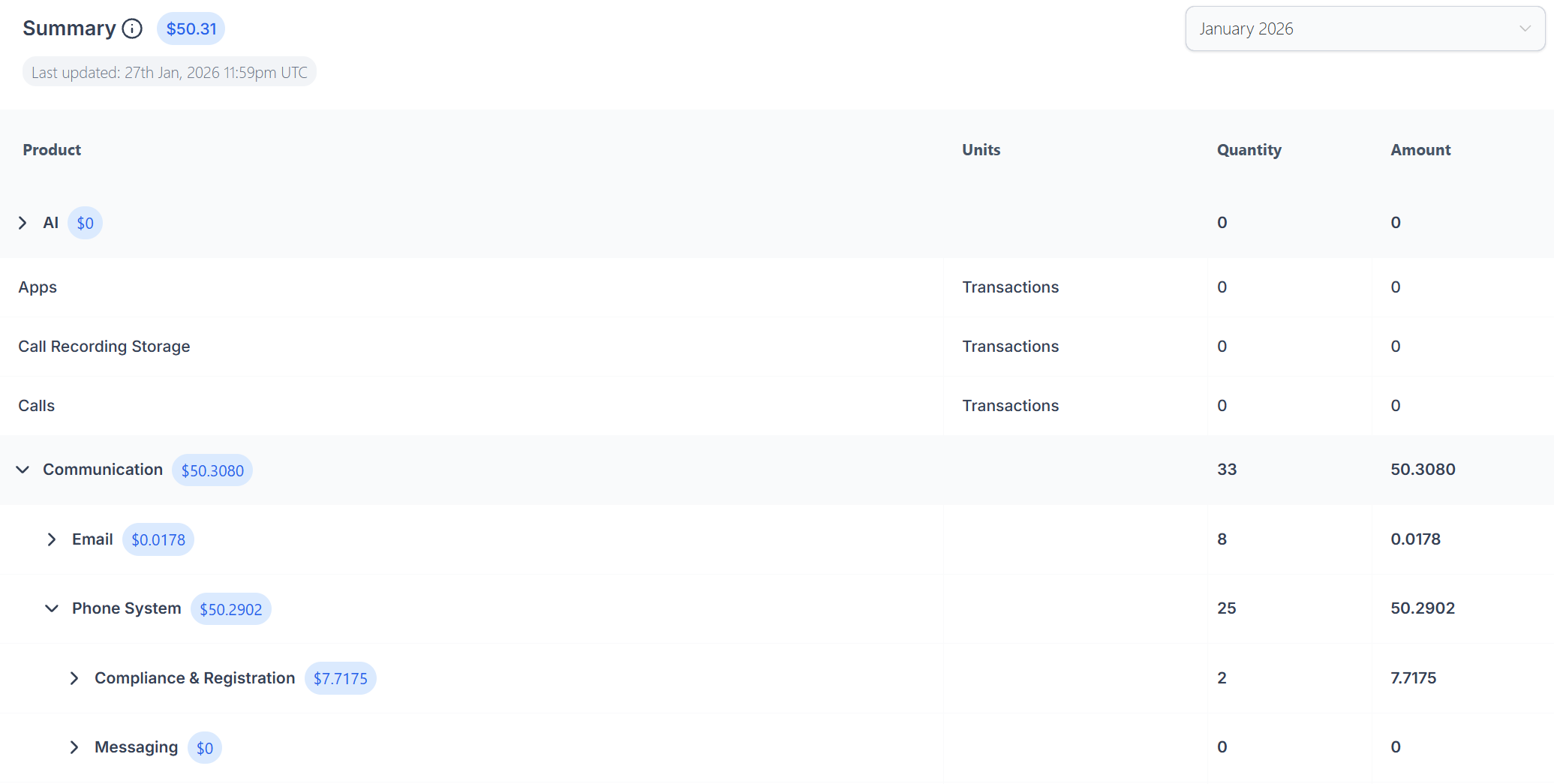
3) Compliance & Registration
Messaging/phone compliance items required for certain communication features
These may appear as occasional fees depending on what’s enabled
(Some accounts may also see small charges for email sends, call recording storage, and optional apps.)
What “Complimentary Credits” means
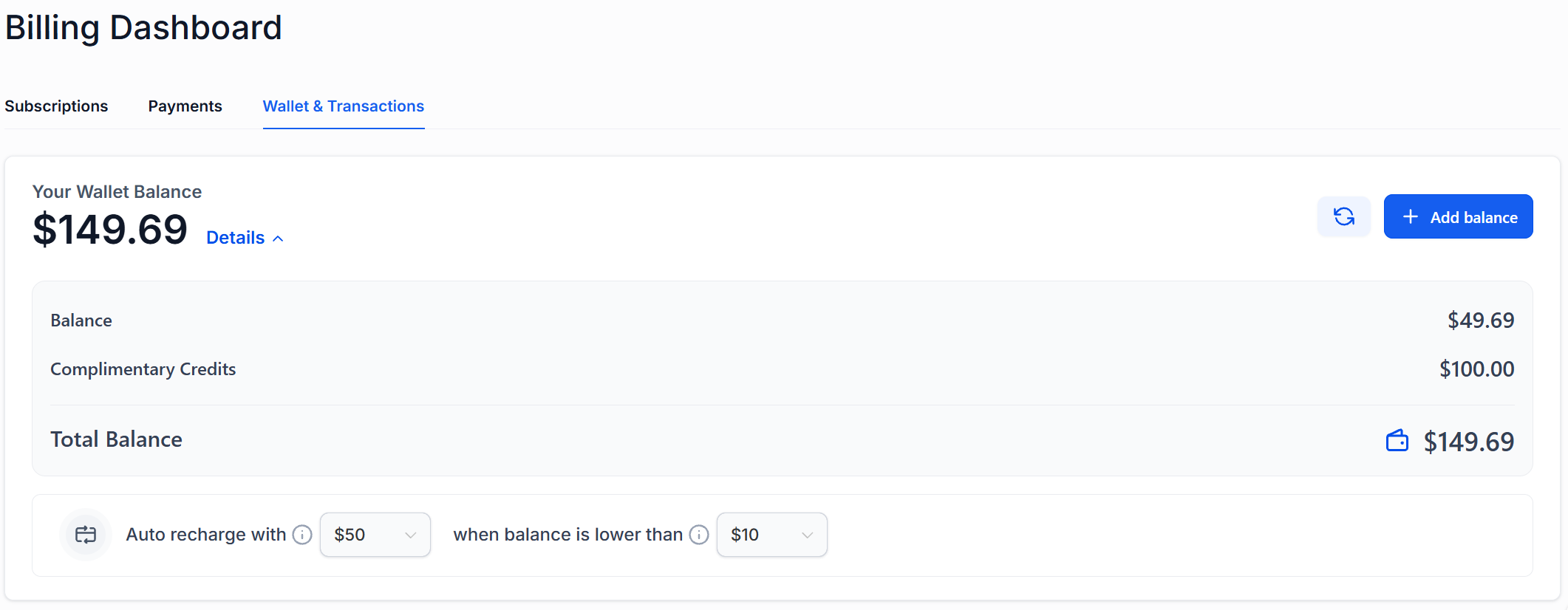
Your account may include complimentary credits (free wallet funds) provided by CareFunnels.
These credits are applied before paid wallet funds, until they’re used up.
How Auto-Recharge works (amount + threshold)
Auto-Recharge helps prevent interruptions caused by a low wallet balance.
When your Wallet balance drops below your set threshold (example: $10)
CareFunnels automatically adds your selected recharge amount (example: $50)
You can view or adjust these settings in the Wallet area.
Where to see details (path + screenshot)
In CareFunnels, go to:
Settings → Billing → Wallet & Transactions
There you can see:
Wallet Balance (paid balance + complimentary credits)
Auto-Recharge settings (amount + threshold)
Wallet Transactions
Summary (monthly totals by category)
Detailed Transactions (line-by-line usage)
Screenshot to include on this page:
Use a screenshot of the Wallet screen showing:
Balance box (paid + complimentary + total)
Auto-recharge amount + threshold
“Summary / Detailed Transactions” tabs
Who to contact with questions
If anything looks unusual (spike in charges, unexpected categories, questions about what’s enabled), contact:
Support: support@carefunnels.com
When you reach out, please include:
The month shown (example: “January 2026”)
A screenshot of the Wallet Summary
The category you’re questioning (example: “Phone Numbers”)