Connect a Social Media Account to the Social Planner
To start scheduling and publishing posts through the Social Planner, you’ll first need to connect your social media accounts. This article shows you how to connect, manage, and reconnect your accounts as needed.
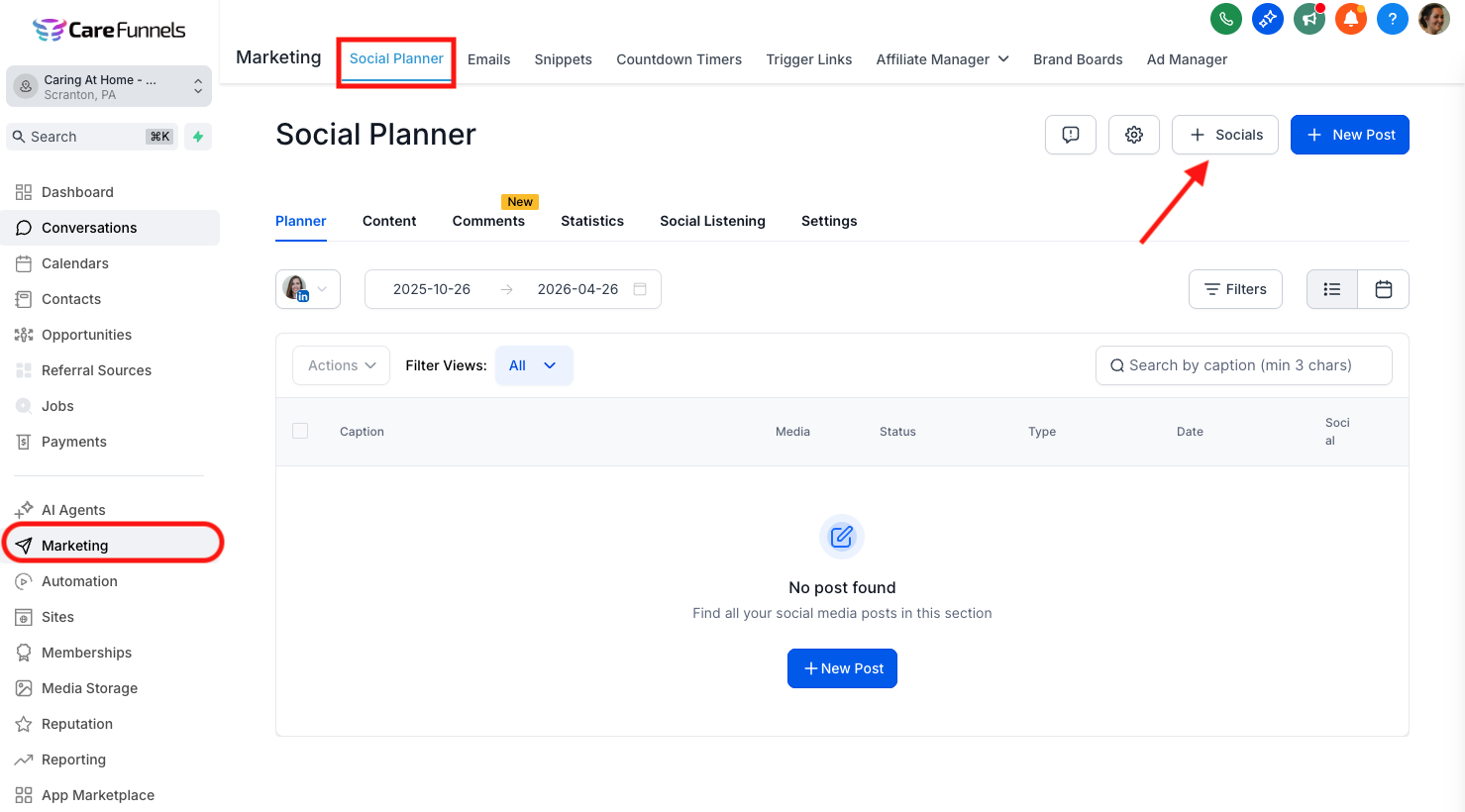
Step 1. Go to Marketing > Social Planner > + Socials
To get started, please go to Social Planner (Located in Marketing in your sidebar menu). In the top right corner of Social Planner, there is option to + Socials
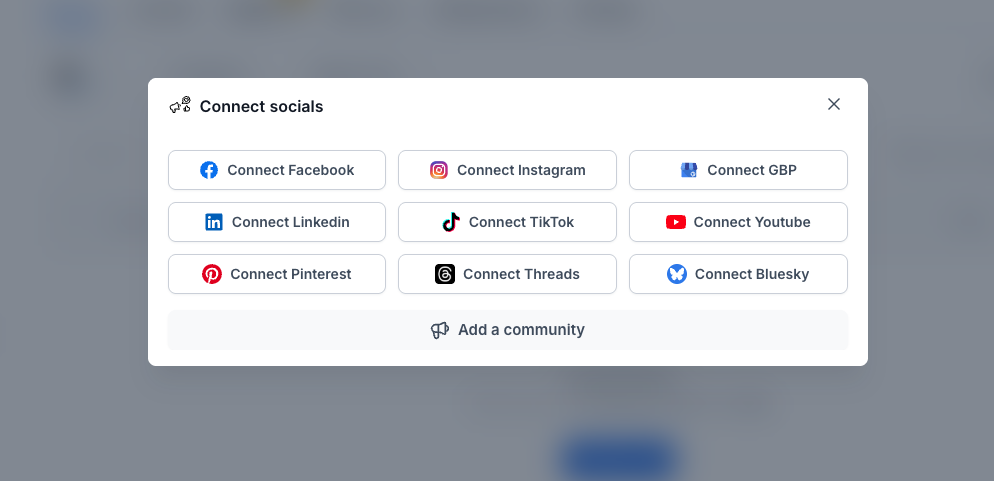
Step 2. Choose the type of social media account you'd like to connect
The next step is to choose which socials you like to connect.
Step 3. Grant permissions
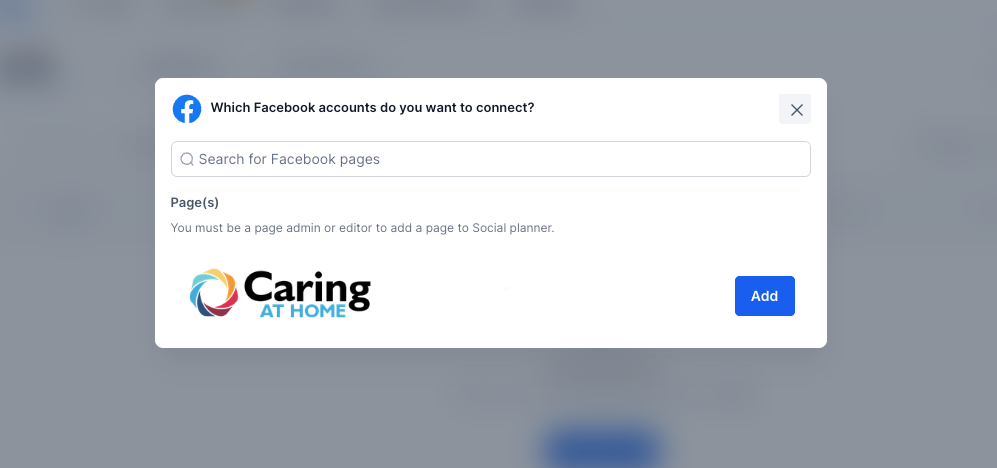
Allow CareFunnels to connect to your selected platform. Follow the prompts in the popup window to log in and authorize access. Choose the page(s), account(s), or profile(s) you want to connect.
Make sure you are signed in or have your login details ready to complete this step.
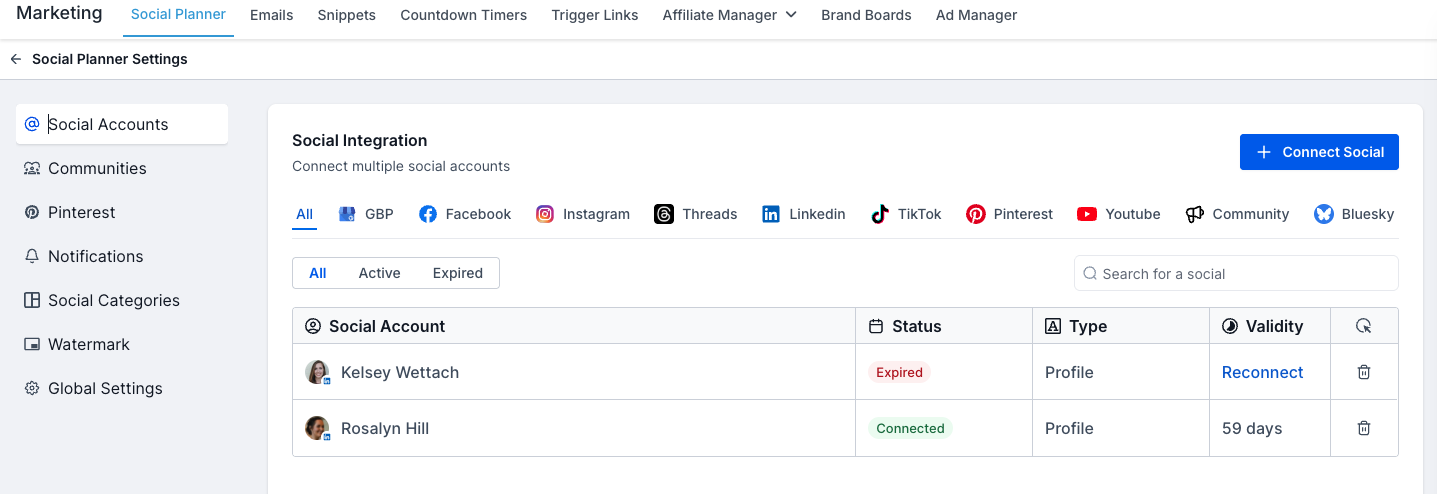
To View Your Connected Social Accounts:
Go to the Social Planner page and click the gear icon to view your connected accounts.
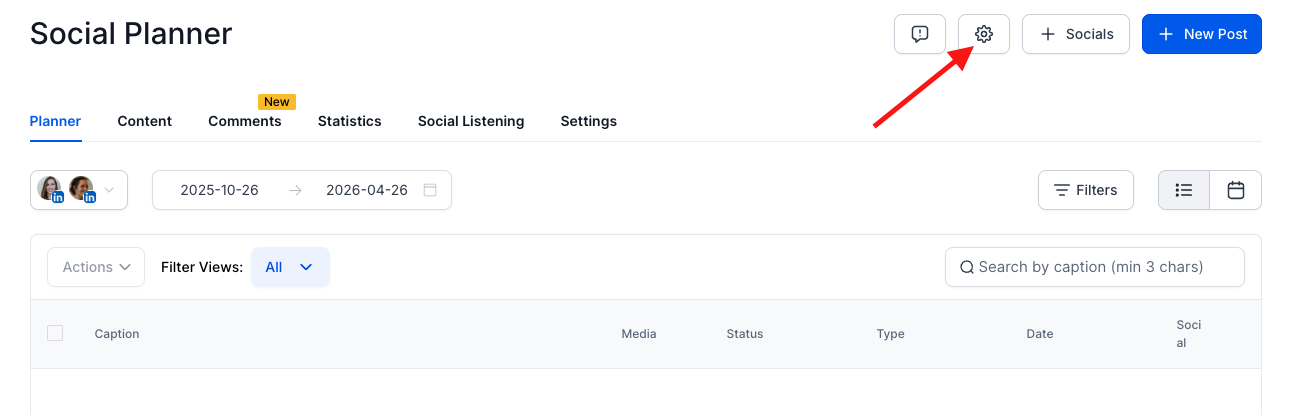
From there, you can:
Filter by active or expired accounts
Reconnect any expired accounts directly from this screen