
How do I change the color of my AI chat widget?
Your chat widget should match your agency's brand. CareFunnels makes it easy to update the color in just a few clicks — no tech experience needed.
Where to find this
Sites → Chat Widget → Select your widget
Before you start
You'll need to be logged in as an admin or account owner to make changes to the chat widget. If you don't see the options below, check with whoever manages your CareFunnels account.
Steps
From the left-hand menu, click Sites.
Along the top navigation bar, click Chat Widget.
Find your chat widget in the list and click on it to open the settings.
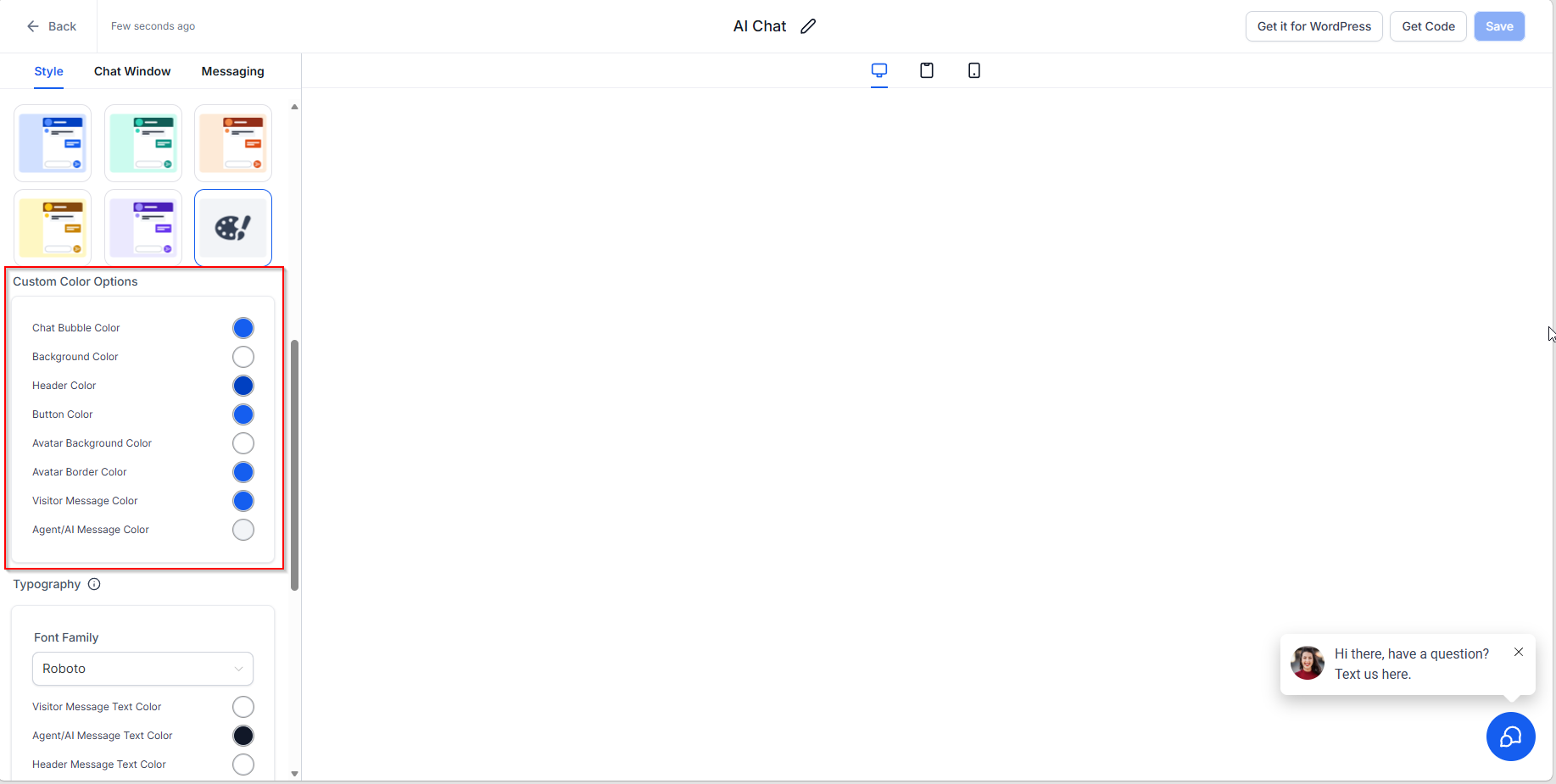
Look for the Widget Color or Appearance section. Click the color box to open the color picker.
Choose your color by clicking around the color picker, or type in your brand's hex code directly (for example,
#2A7AE4). Your logo designer or website team can give you this code if you don't have it handy.Click Save to apply your changes. Your widget on your website will update automatically.
Pro tip
Use a color that stands out against your website background so visitors notice the chat widget right away. A strong, contrasting color can noticeably increase the number of people who reach out.
Common questions
I changed the color but my website still shows the old one. What's happening? Try doing a hard refresh on your website by pressing Ctrl + Shift + R (Windows) or Cmd + Shift + R (Mac). Sometimes your browser holds onto an older version of the page. Give it a minute or two and check again.
Can I change the color of the chat button and the chat window separately? Yes! In the widget settings, you'll find separate options for the button color and the header color of the chat window. You can match them or choose different colors for each.
I don't know my brand's hex code. How do I find it? Your hex code is a 6-character color code that starts with a # symbol (like #FF5733). You can find it by checking your website, asking whoever designed your logo, or using a free tool like coolors.co to pick a color visually.