
How do I change what my AI chat widget says when it first pops up?
The first message your chat widget shows is called the Intro Message. It's the greeting visitors see before they start typing. You can update it anytime to better reflect your agency's voice.
Where to find this
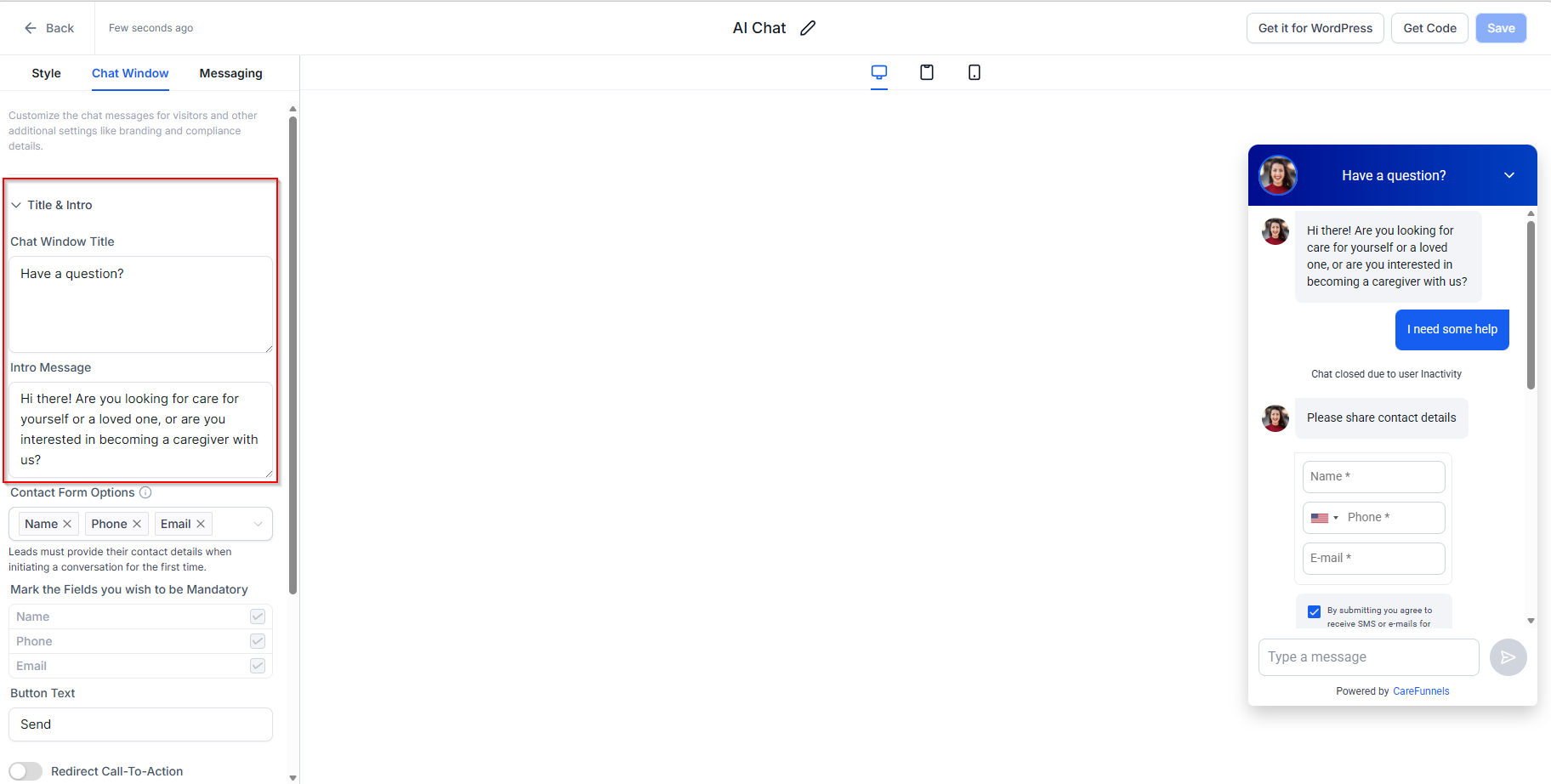
Sites → Chat Widget → Chat Window → Intro Message
Before you start
You'll need to be logged in as an admin or account owner to make changes to the chat widget. If you don't see the options below, check with whoever manages your CareFunnels account.
Steps
From the left-hand menu, click Sites.
Along the top navigation bar, click Chat Widget.
Find your chat widget in the list and click on it to open the settings.
Click on the Chat Window tab.
Find the Intro Message field and click into it.
Delete the existing message and type your new greeting.
Click Save to apply your changes.
Pro tip
Keep your intro message warm and specific to home care. Something like "Hi there! Are you looking for care for yourself or a loved one, or are you interested in becoming a caregiver with us?" works much better than a generic "How can I help you?" It sets the tone right away and makes visitors feel like they're in the right place.
Common questions
How long should my intro message be? Short and friendly works best — 1 to 2 sentences. Visitors are deciding in seconds whether to engage, so get to the point quickly.
Can I use emojis in the intro message? Yes! A single emoji like 👋 or ❤️ can make your greeting feel more human and approachable.
Will the intro message show up on every page of my website? Yes, as long as the chat widget is active on your site, the intro message will appear wherever the widget is displayed.
I updated the message but it still shows the old one on my website. What do I do? Try doing a hard refresh on your website by pressing Ctrl + Shift + R (Windows) or Cmd + Shift + R (Mac). This clears your browser's saved version of the page.