
How do I add the chat widget to my website?
Once your chat widget is set up in CareFunnels, you'll need to add a small piece of code to your website so it shows up for visitors. This only needs to be done once — and if you have a web designer or IT person, you can forward this article to them.
Where to find this
Sites → Chat Widget → Select your widget → Get Code
Before you start
You'll need access to the backend of your website to complete this. If someone else manages your website, send them this article and they'll know exactly what to do.
Steps
From the left-hand menu, click Sites.
Along the top navigation bar, click Chat Widget.
Find your chat widget in the list and click on it to open the settings.
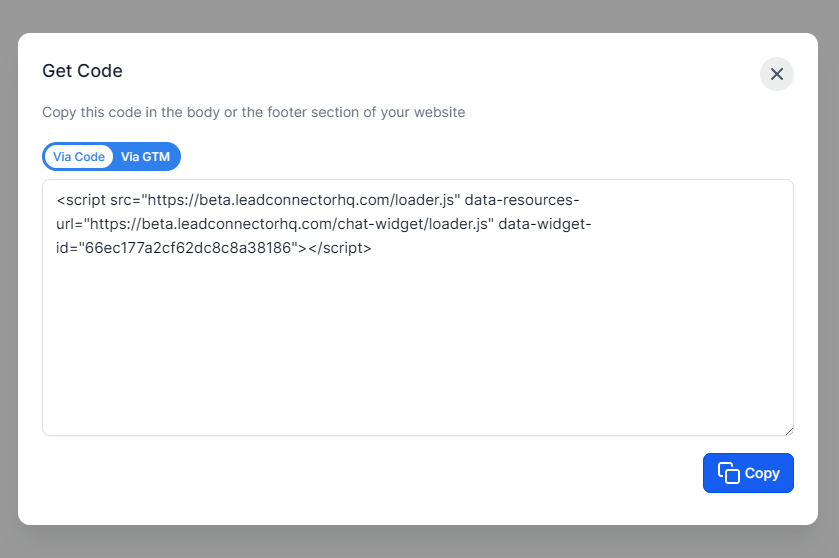
Click Get Code.
Copy the code that appears.
Go to your website's backend and paste the code into the footer section of your website. This makes sure the chat widget appears on every page.
Save your website changes. The chat widget should now be visible on your site.
Pro tip
The footer section is the best place to paste this code because it loads the widget on every page of your website automatically — so visitors can reach you no matter which page they land on.
Common questions
I don't know how to access the footer section of my website. What do I do? It depends on which platform your website is built on. Here are the most common ones:
WordPress: Go to Appearance → Theme Editor → footer.php, or use a plugin like "Insert Headers and Footers" to paste the code without touching any files.
Wix: Go to Settings → Custom Code → Add Code → place it in the Body (footer).
Squarespace: Go to Settings → Advanced → Code Injection → paste in the Footer field.
GoDaddy Website Builder: Go to Marketing → SEO → Footer Code.
If your website is custom-built, forward this article to your web developer and ask them to paste the code in the footer.
Do I need to add the code again if I make changes to the widget? No. Once the code is on your website, any changes you make to the widget inside CareFunnels will update automatically. You only need to add the code once.
The widget isn't showing up after I added the code. What should I try?
Make sure you saved your website changes after pasting the code.
Try doing a hard refresh by pressing Ctrl + Shift + R (Windows) or Cmd + Shift + R (Mac).
Double-check that the code was pasted in the footer section and not somewhere else on the page.
If it still isn't showing, reach out to your web developer or contact CareFunnels support.
Can I add the widget to only one page instead of the whole website? Yes. Instead of adding the code to the footer (which applies site-wide), paste it only into the footer or body section of the specific page you want it on. Your web developer can help with this.