
How do I send a review request to a client?
Online reviews are one of the most powerful ways to build trust with families searching for home care. CareFunnels makes it easy to send a review request directly to a client by text, email, or WhatsApp — all in just a few clicks.
Note: Review management is available on the CareFunnels CRM plan and all Marketing In A Box plans. If you don't see the Reputation option in your menu, reach out to your CareFunnels account manager to learn more about upgrading.
Where to find this
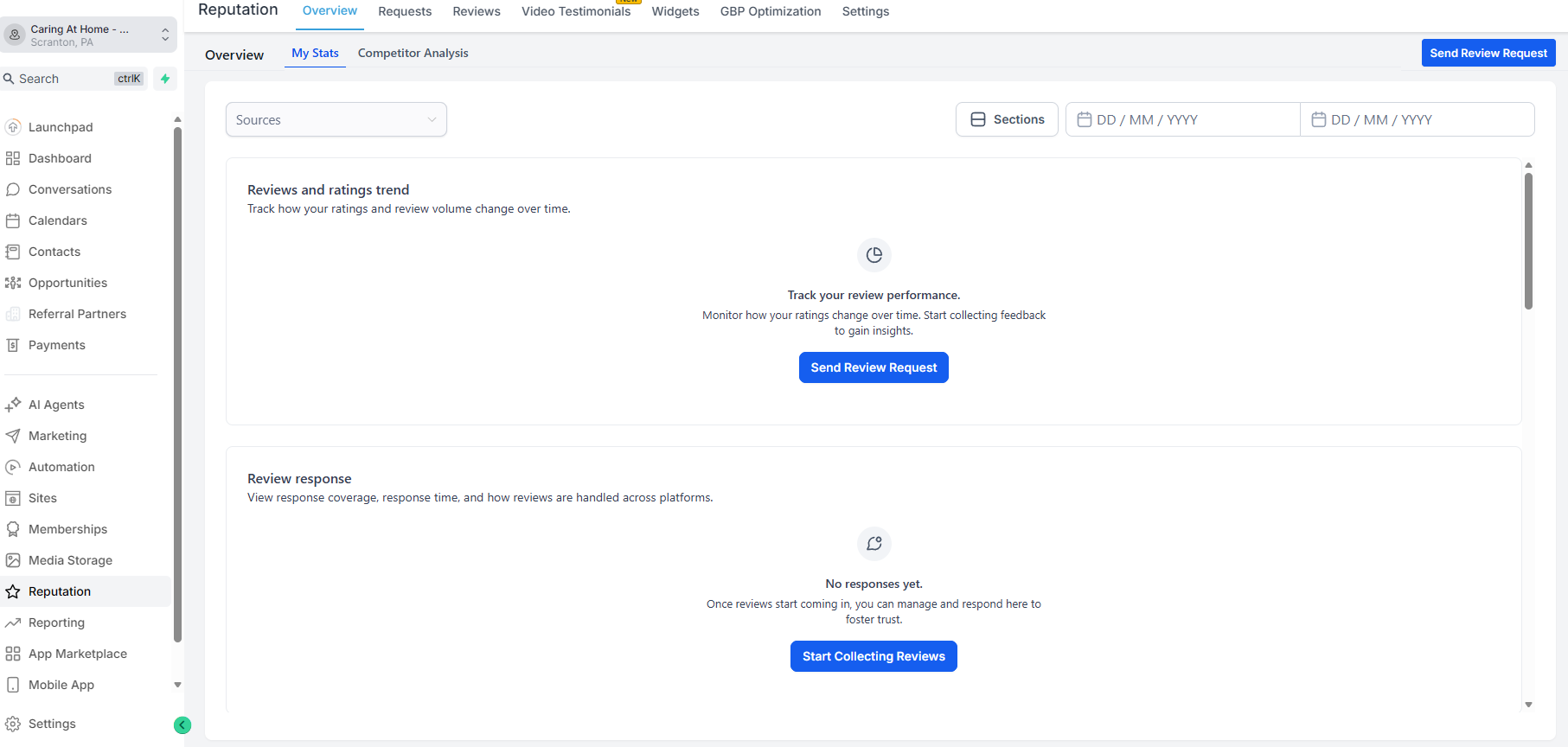
Reputation → Send Review Request (top right button)
Steps
From the left-hand menu, click Reputation.
Click the Send Review Request button in the top right corner of the page.
In the form that appears, search for the contact by name or enter their details manually:
Contact Name — search for an existing contact or create a new one
Contact Phone — their phone number for SMS or WhatsApp
Contact Email — their email address for email requests
Under Choose Modes, select how you want to send the request — Email, SMS, or WhatsApp. You can select more than one.
Review the message template. The default template is already set up for you — you can leave it as is or customize it.
Click Send Review Request to send it.
Pro tip
The best time to send a review request is shortly after a positive interaction — like after a care assessment goes well, after a client's first week of service, or after a family member expresses gratitude. Strike while the experience is fresh and the emotion is high.
Common questions
Which platform will clients leave their review on? By default, review requests are linked to your Google Business Profile. This is the most impactful place for home care agencies since Google reviews directly affect how you appear in local search results.
Can I send review requests to multiple contacts at once? Individual review requests are sent one at a time from this screen. For bulk review campaigns, reach out to your CareFunnels account manager about automated review request workflows.
How many review requests should I send? There's no limit, but quality matters more than volume. Focus on clients and family members who have had a genuinely positive experience — a heartfelt review from a happy family carries far more weight than a generic one.
What if a client leaves a negative review? Negative reviews happen. Respond promptly and professionally — CareFunnels allows you to monitor and respond to reviews directly. See the article "How do I see and respond to my Google reviews in CareFunnels?" for instructions.
Can I customize the review request message? Yes. When composing the request, you can choose a different email template or edit the message content before sending.