
🆕 Conversations: Set and Track Response Time Goals with SLAs
📥Overview
In fast-moving inboxes, every minute counts. Conversation SLAs help you define how quickly your team should respond to customer conversations and bring visibility to those expectations - right inside the Conversations inbox. Once enabled, each conversation displays a live timer that indicates whether it’s on track, due soon, or overdue, helping agents focus on the most time-sensitive conversations first. You can also customize SLAs for different channels - giving you full control.
✨ What’s New
Set Ideal Response Times:
Define clear reply targets for your team so everyone knows what “fast” means for your business.
Channel Flexibility:
Apply one SLA across all channels or customize response times per channel like Email, SMS, or Facebook.
Live SLA Timers in Conversations:
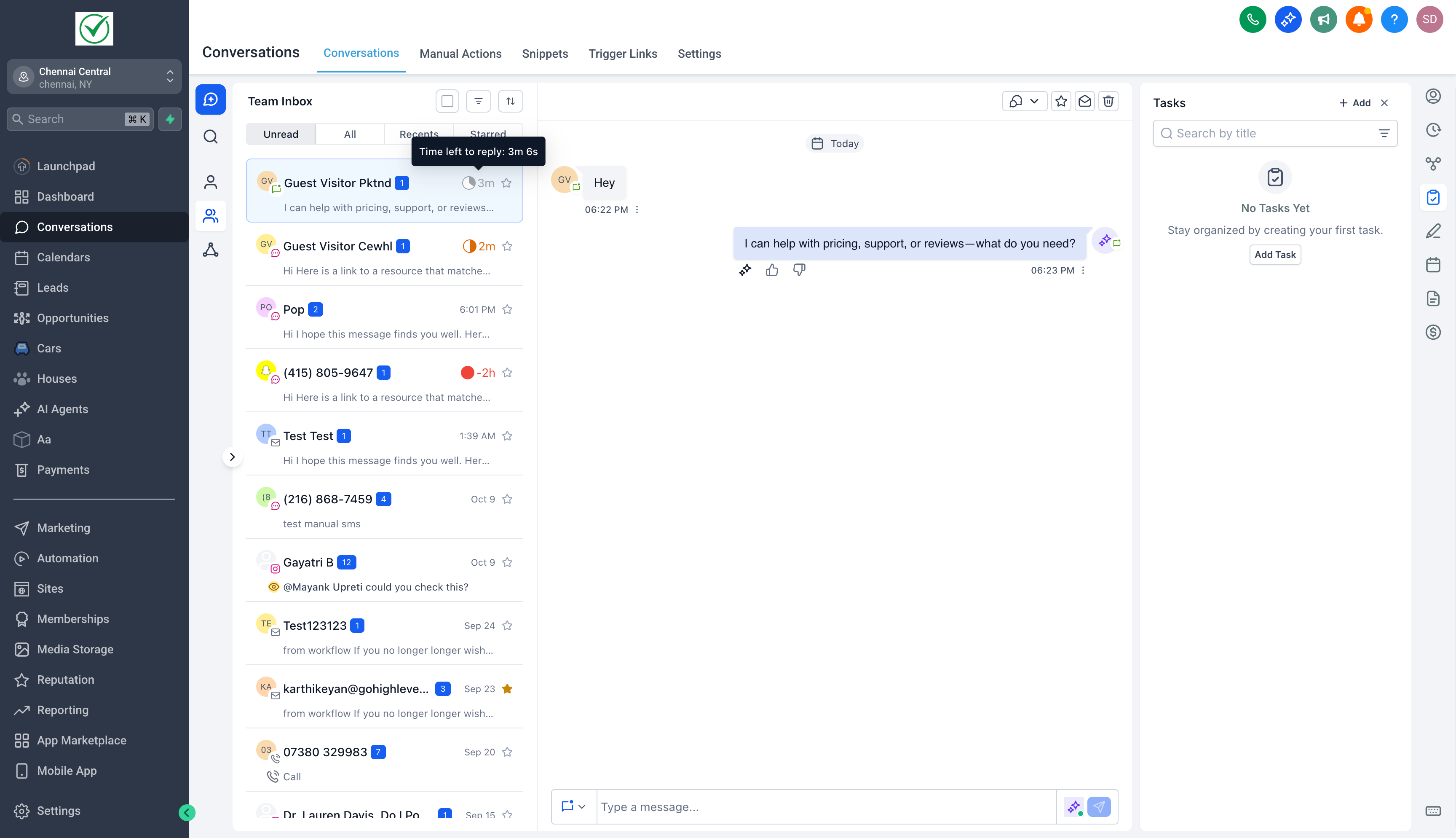
Timers automatically appear beside each conversation, changing color based on urgency — Grey (Active), Orange (Due Soon), Red (Overdue).
Smarter Automation Handling:
Choose whether workflow messages or AI Agent replies should count as valid responses toward your SLA.
New Filters & Sorts:
Quickly identify urgent conversations with filters for SLA status and sorting by Longest SLA Overdue or Next SLA Target.
📈 How to Get Started
Go to Conversations > SLA Settings. Enable the SLA toggle.
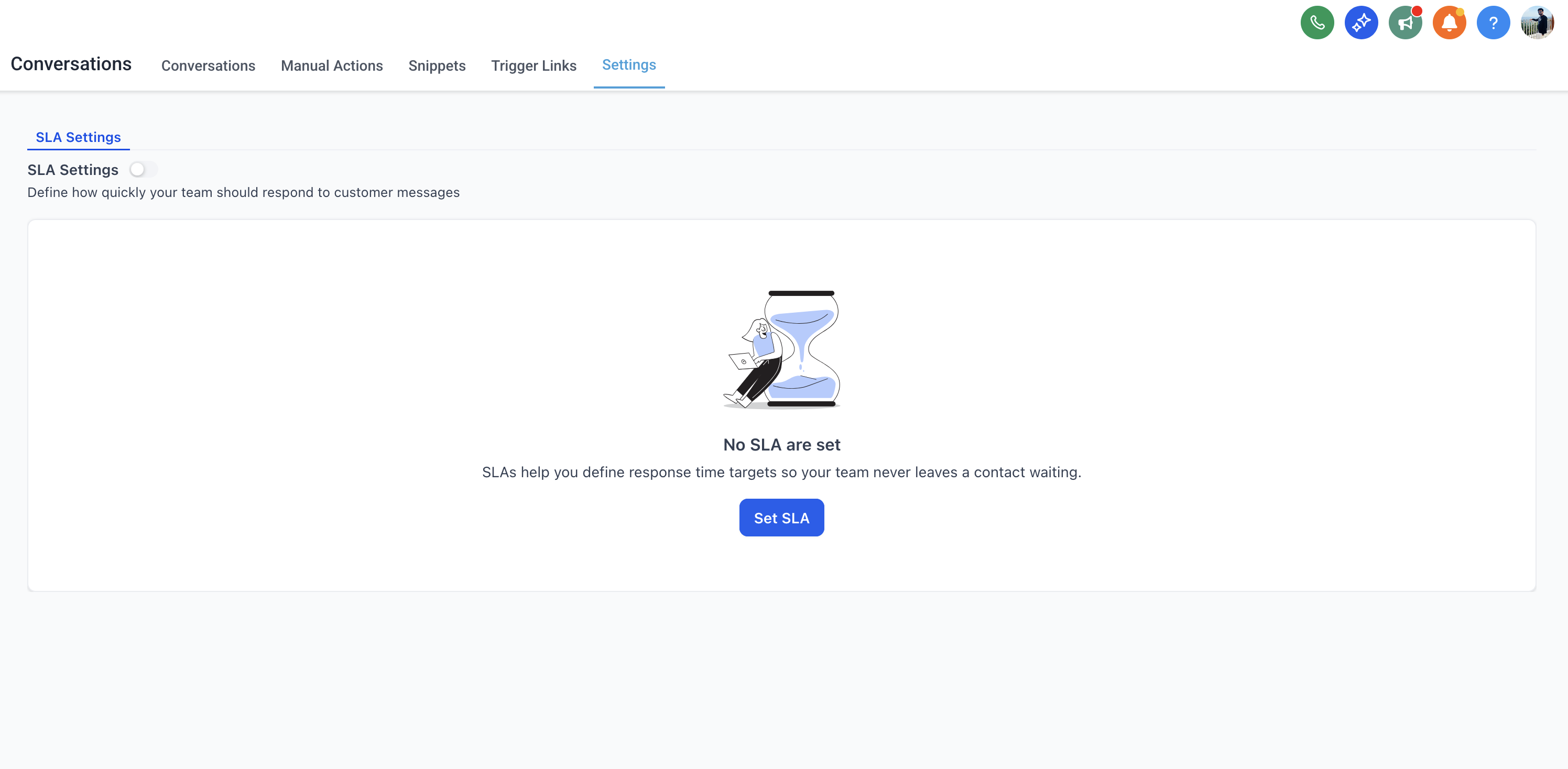
Choose between a Common SLA or Channel-Specific SLAs.
Set your Due Soon and Overdue times.
Decide how workflow messages and AI Agent replies affect timers.
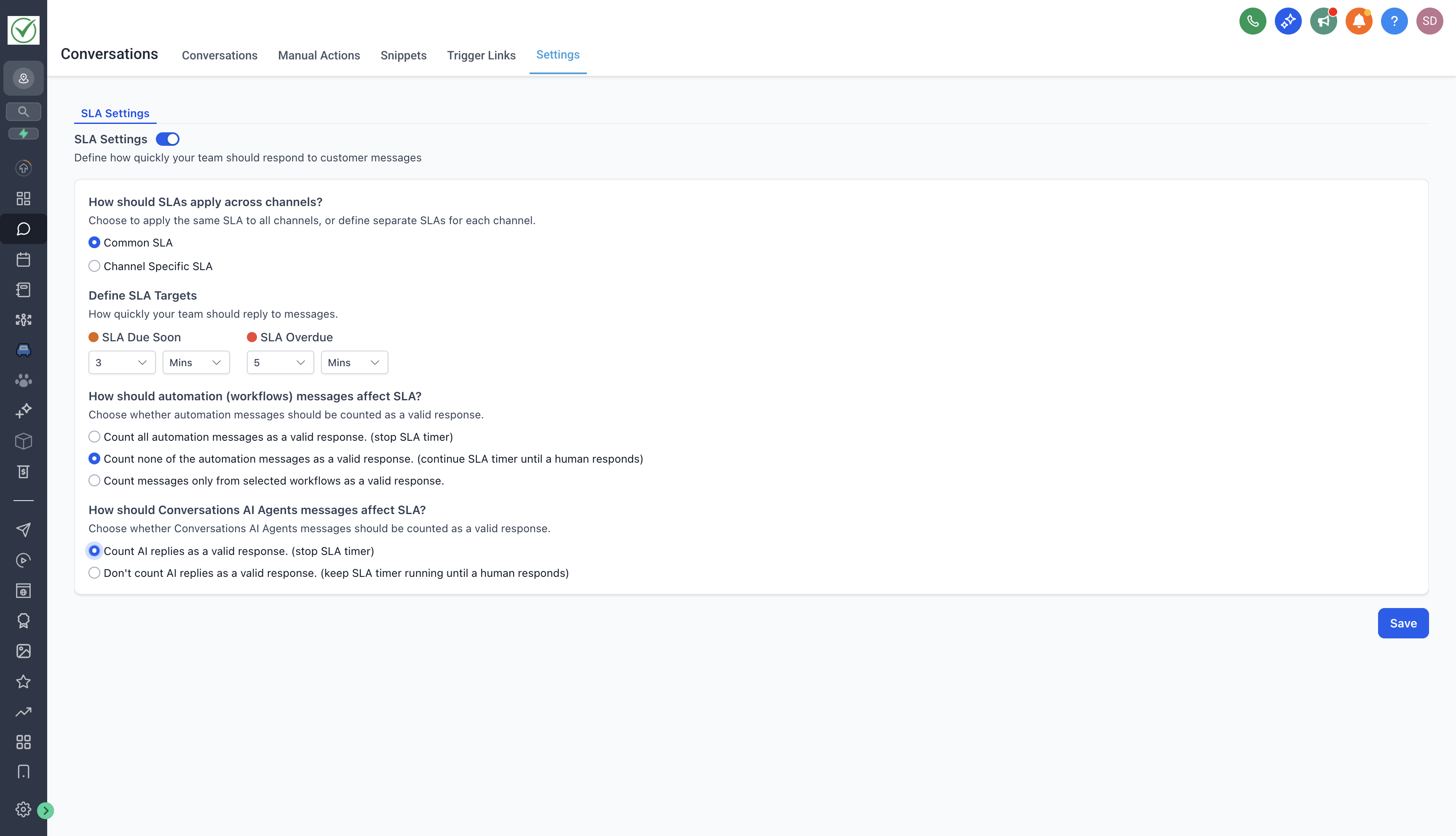
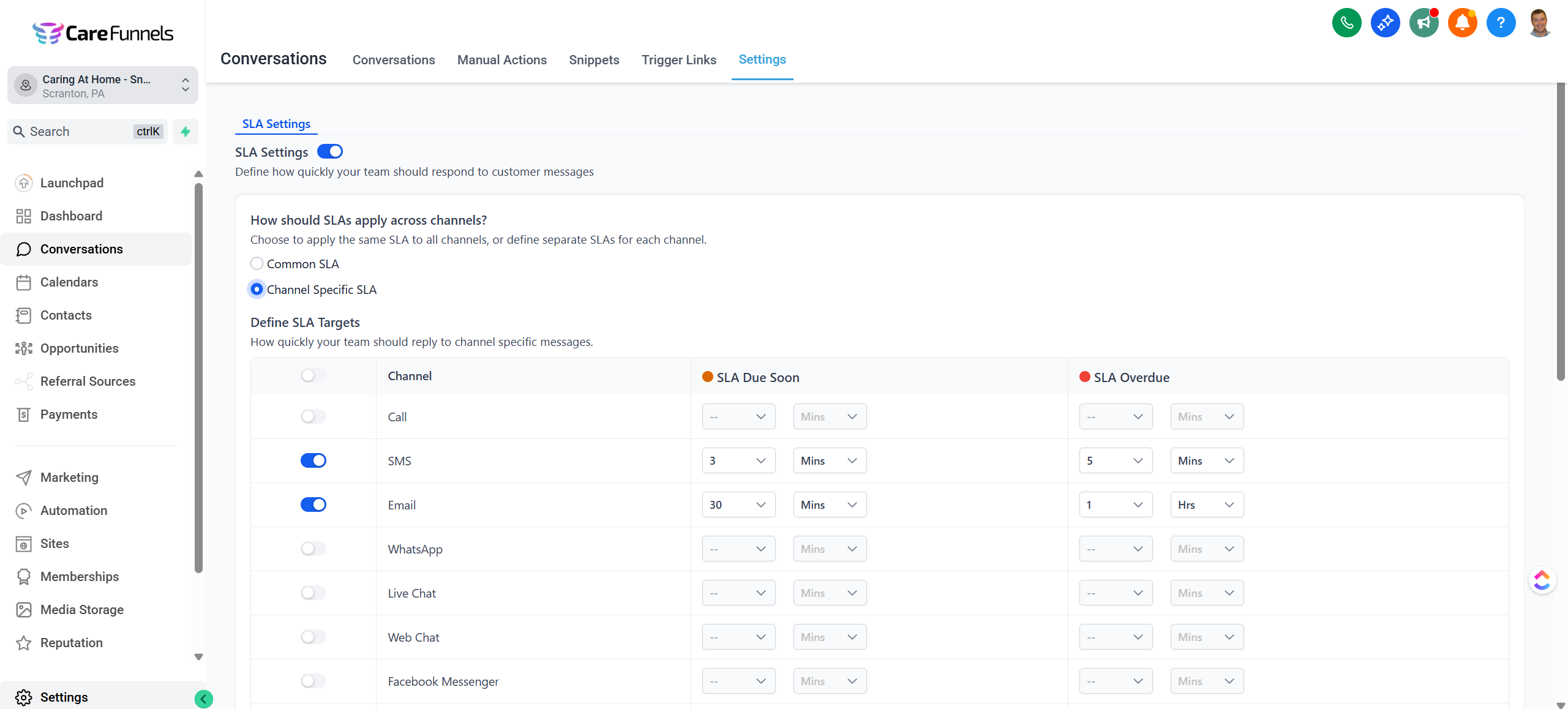
Click Save - new conversations will automatically display SLA timers inside your inbox.
🔍 Why This Matters
Conversation SLAs bring structure and visibility to your response process — ensuring your team never misses a reply window again.
⏱ Stay responsive: Agents instantly see which conversations are approaching their deadline.
🧭 Prioritize better: The color-coded timers make it clear which chats need attention first.
⚙️ Flexible for every channel: Different channels can have different SLAs that match their urgency.
In short, SLAs keep your team focused, your customers satisfied, and your response times consistent.
Want to roll this out to your team?
Learn how to implement Conversation SLAs in CareFunnels Academy.