
New QR Code Styling Options: Shapes, Borders, and Rim Text
We’ve added new design options to help you create more polished and engaging QR codes.
🆕 What’s New
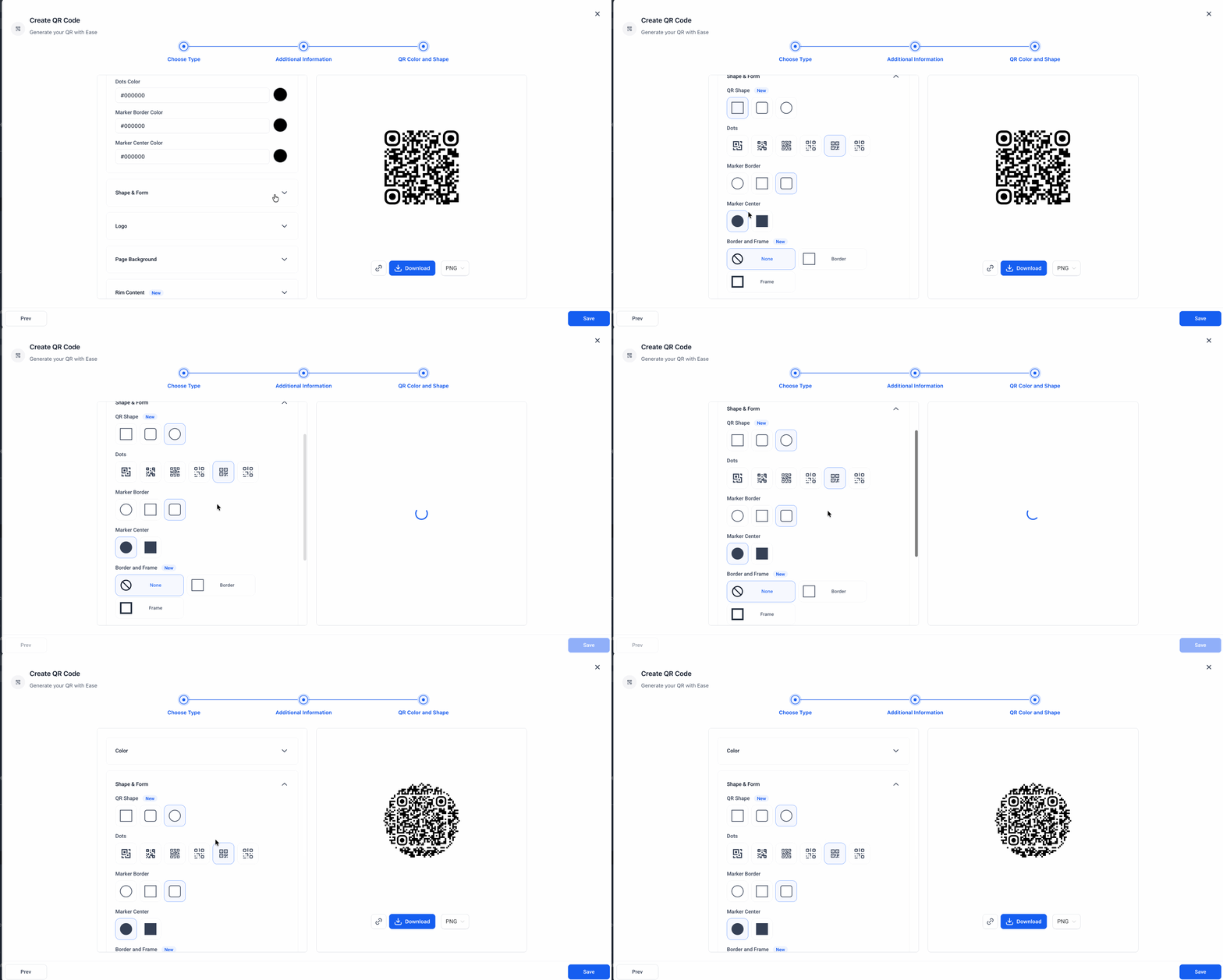
New QR code shapes:
You can now choose from Rounded and Circular QR code shapes for a more modern look.
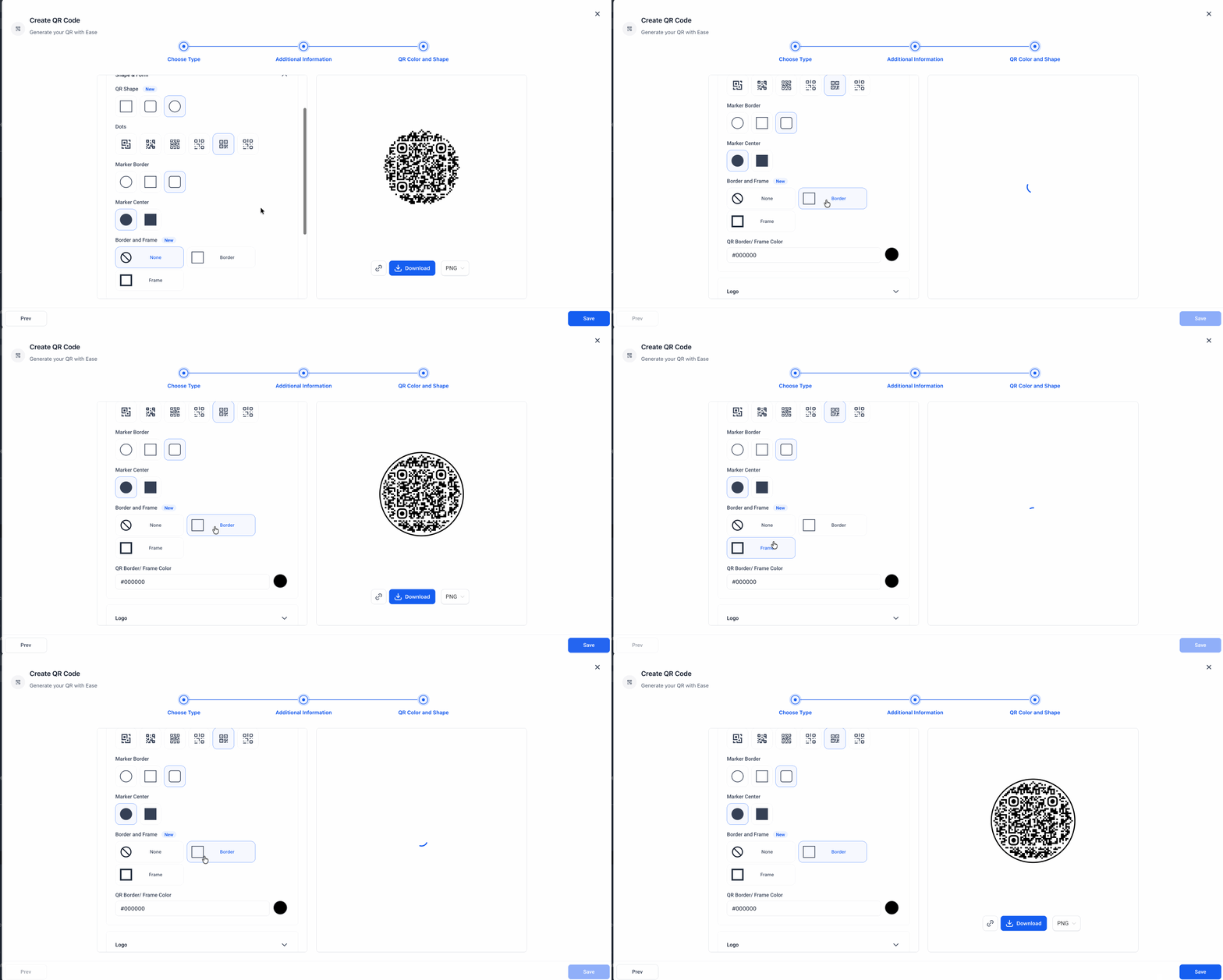
Border and frame customization:
You can now add a border or frame to your QR code and customize its color to better match your branding.
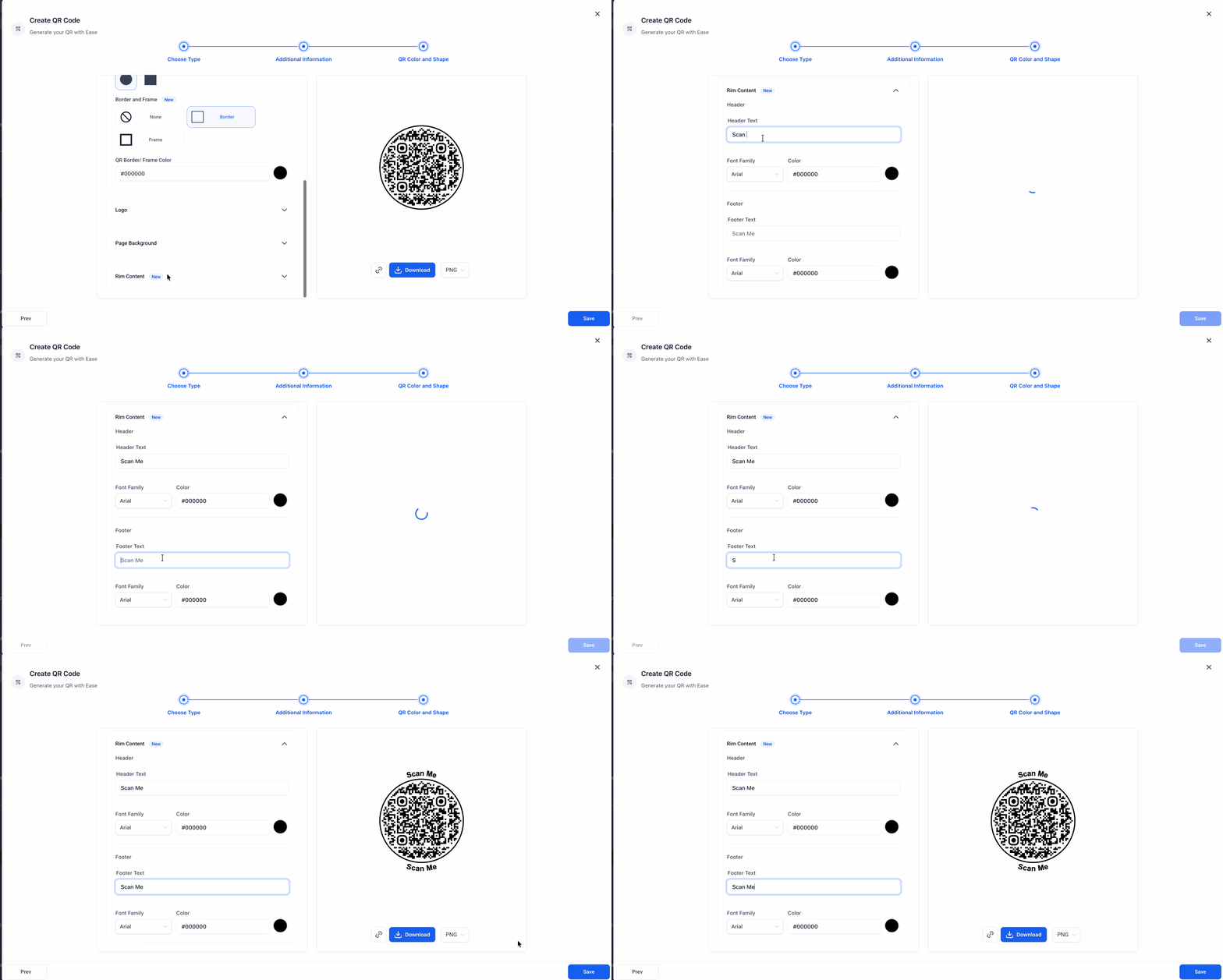
Rim content:
You can now add CTA text to the top and bottom of your QR code to make it clearer and more action-oriented.
📍 Where to Find It
Navigate to Sites > QR Codes.
Choose your QR Type.
Then go to the QR Color and Shape step
Shape & Form: Choose Rounded or Circular QR code shapes
Border and Frame: Add a border or frame and customize its color
Rim Content: Add text to the top and bottom of the QR code
💡 Why It Matters
These updates give you more flexibility to design QR codes that:
look more visually appealing
better match your brand
make your call to action clearer
These features are available across all QR code types.