SMS Widgets for Dashboards & Reporting - All Your SMS Data, Right Where You Work
👀What's New?
A dedicated SMS section is now available in the Dashboards widget panel — just like Email widgets, but for SMS
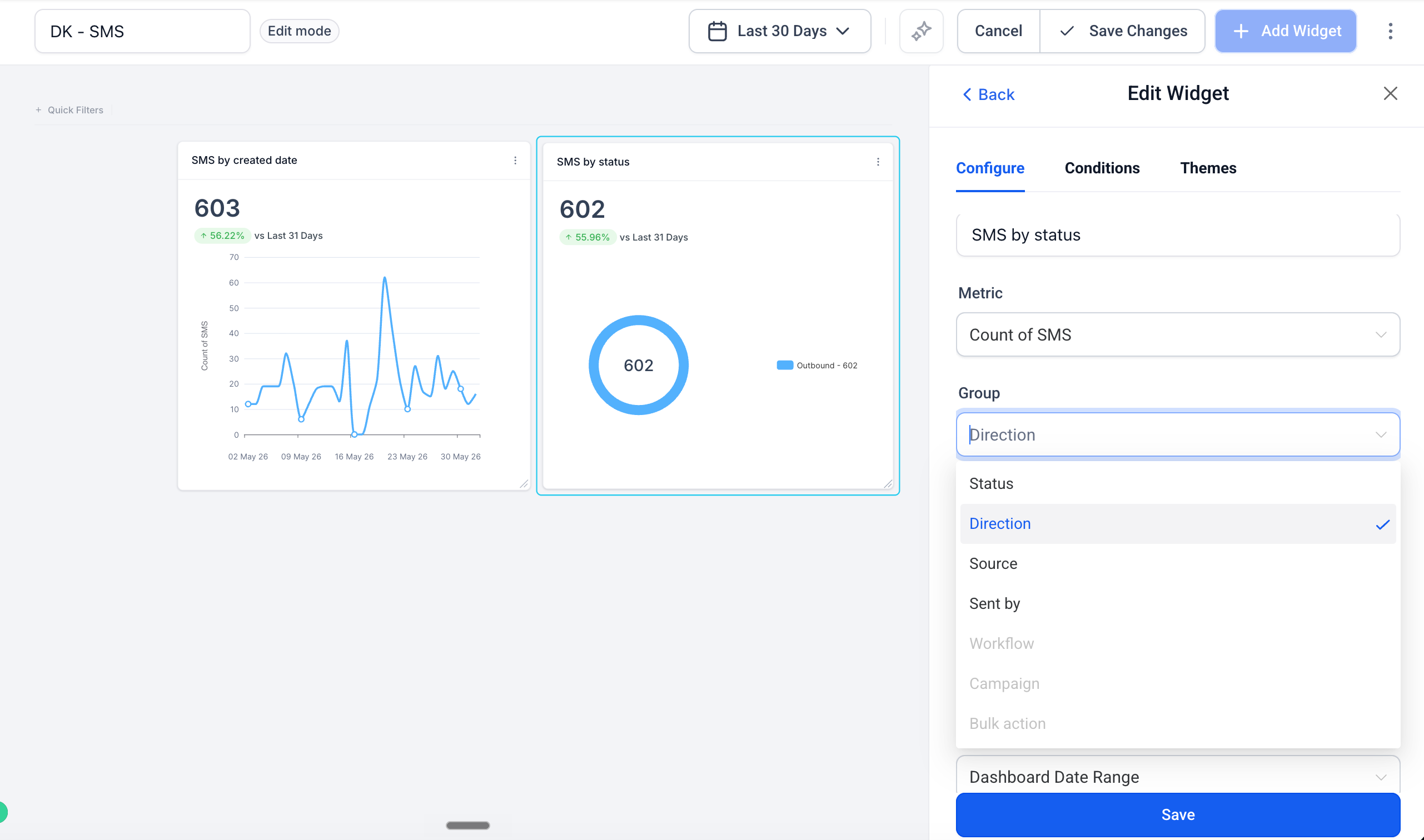
Five ready-to-use widgets: SMS by status, Incoming SMS count, SMS by source type, SMS by sender, and SMS volume over time
Each widget is fully configurable — filter by delivery status, direction, source, or sender to surface exactly the data you need
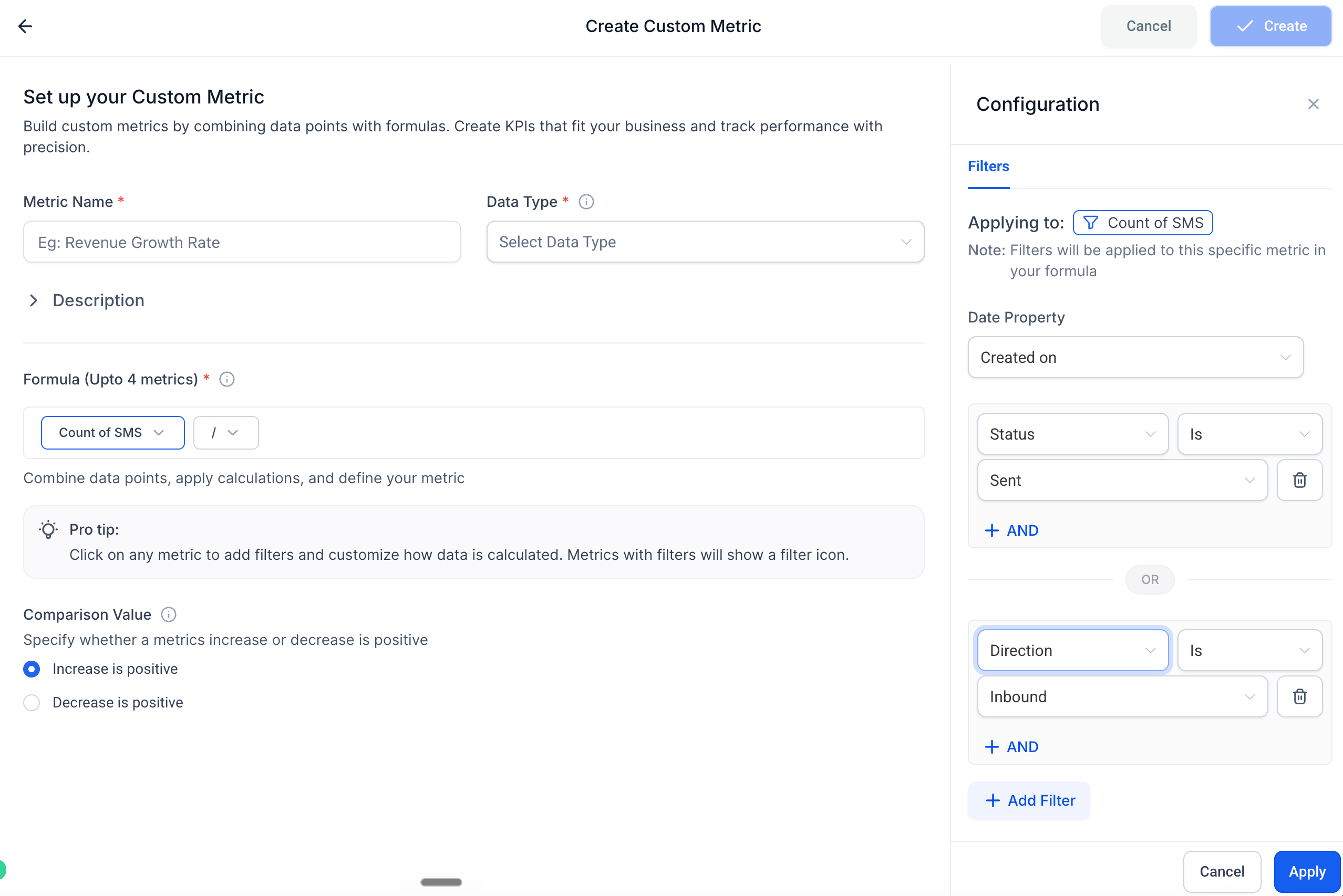
SMS is now available as a dimension in Custom Metrics — build KPIs like delivery rate or inbound volume using the formula builder today
👷How It Works:
Open any dashboard and click Edit Dashboard
Click + Add Widget and scroll to the new SMS section
Pick a widget, configure filters and chart type, and click Save Changes
🌟Why It Matters:
Full messaging picture in one place — SMS now sits alongside Emails and Calls on your dashboard, so you can see all channel activity without switching tools or filtering through Conversations
Delivery health at a glance — Know exactly how many messages were Sent, Delivered, Failed, or Undelivered for any time period
Understand what's driving your volume — Break down SMS by source (Workflow, Campaign, Bulk action) or by team member to see who sent what and from where
Two-way visibility — Track inbound SMS alongside outbound to measure how conversations are performing, not just how many messages were sent
📝Notes:
All widgets support filtering by status, direction, source, and sender — combine filters for precise segmentation
Available on all plans that include Dashboards & Reporting
Available in the modules Dashboards, Reporting, and Custom Metrics.