Manual Reviews - Live in Reputation (Labs)
We’re introducing a brand new way to record and showcase customer feedback collected outside of integrated review platforms — now available in Labs!
Once enabled, you’ll find it inside Reputation → Reviews → Add Reviews.
✨ What’s New
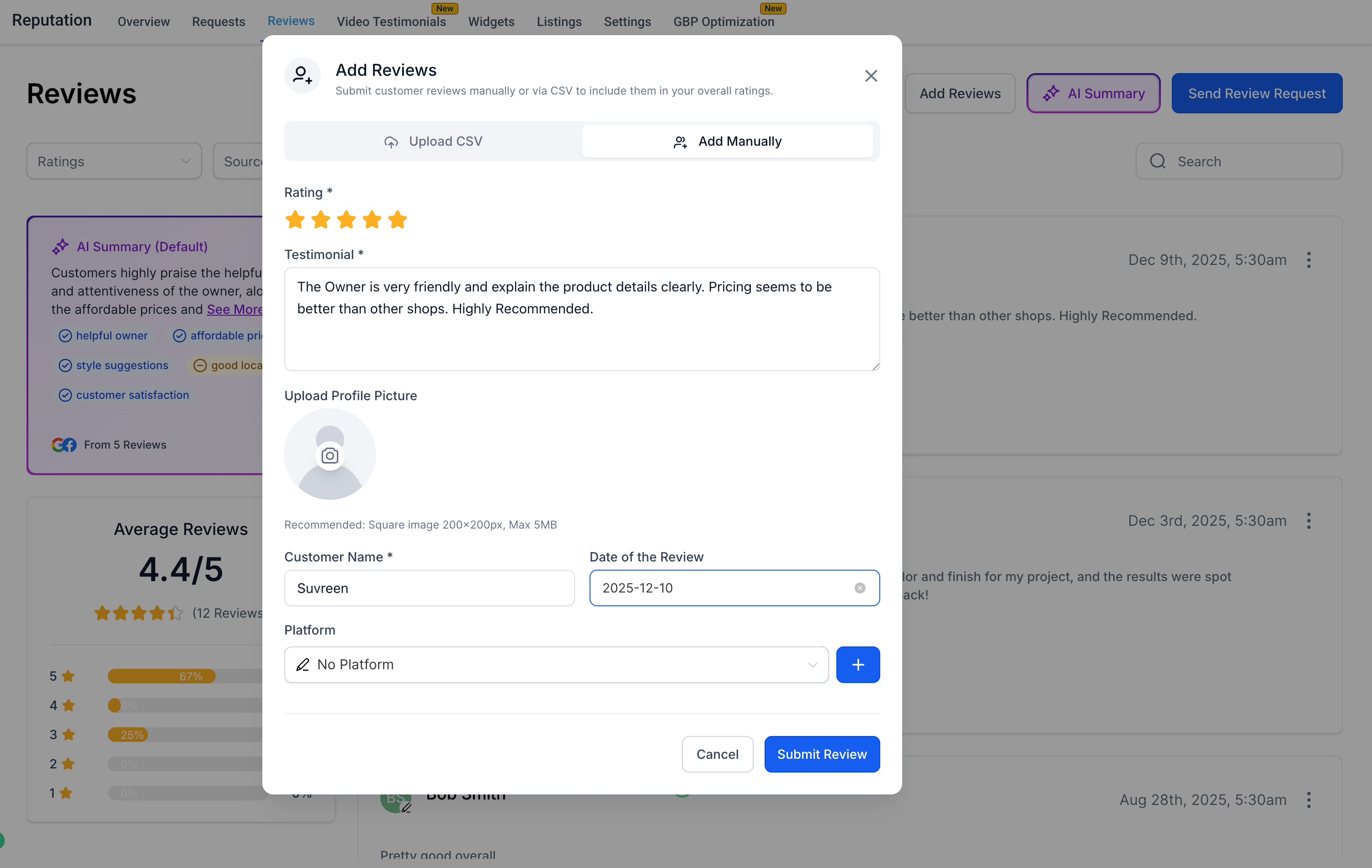
1. 🖊️ Add Reviews Manually
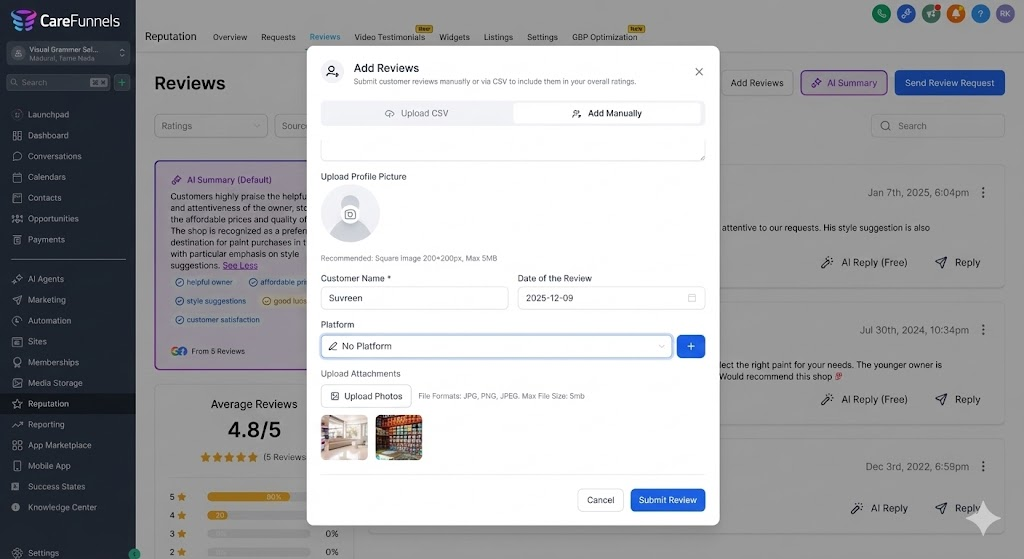
Easily submit customer reviews that were collected offline or through channels we don’t directly integrate with. You can now enter:
Customer Name
Review Rating
Review Text
Date of the Review
Platform / Source (choose an existing platform, add a new unsupported one, or simply select No Platform for word-of-mouth reviews)
Profile Picture
Photo Attachments
This allows you to consolidate all your feedback — both collected and manual — in one unified view.
2. 📤 Bulk Upload via CSV
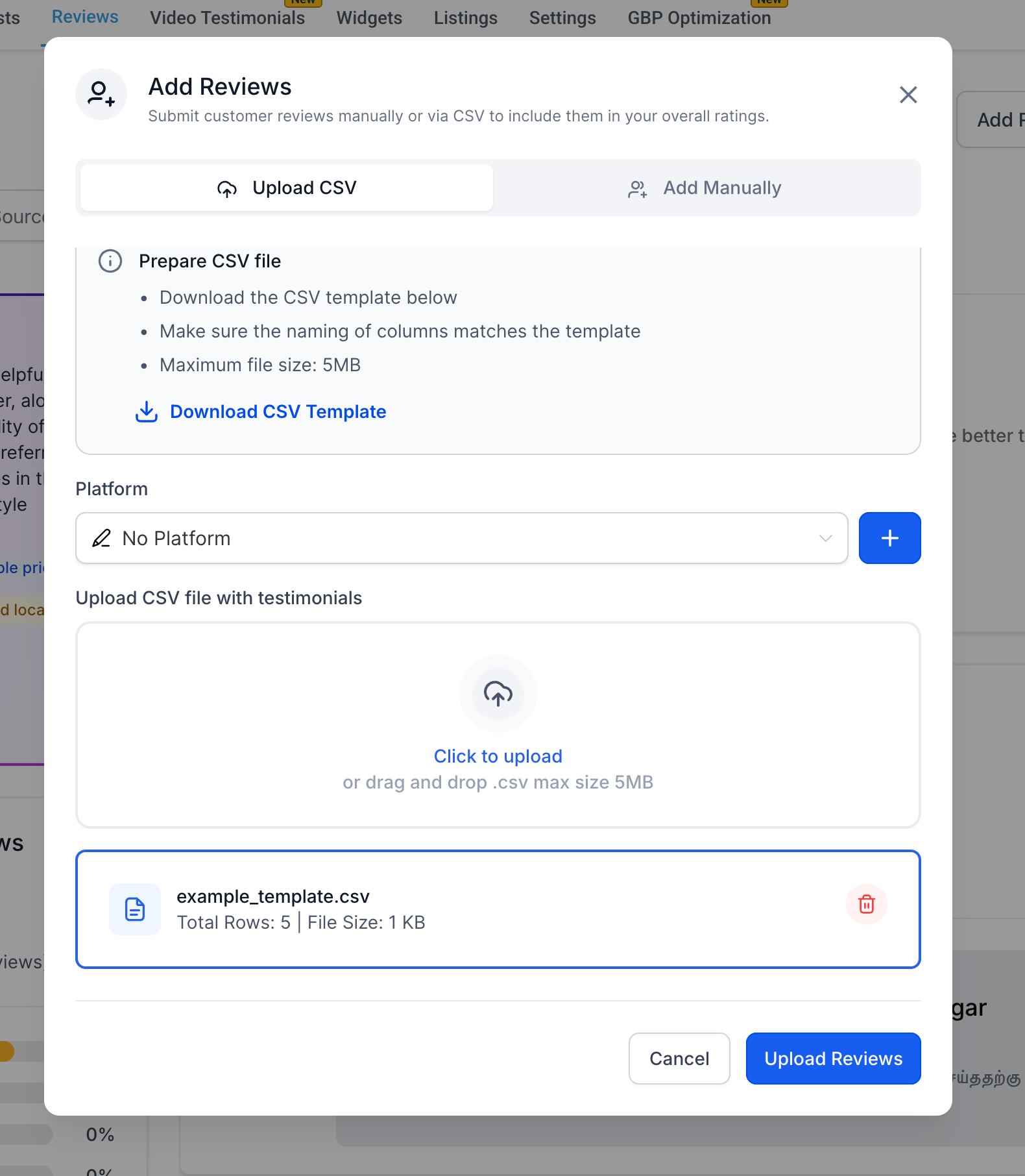
Import multiple reviews at once using our new CSV uploader.
Upload reviews with:
Reviewer details
Rating & text
Review dates
Platform names
Attachments (via links)
Includes:
Downloadable CSV template
Validation for incorrect or missing fields
Error-free file handling to ensure smooth imports
3. 🪄 Unified Review Display
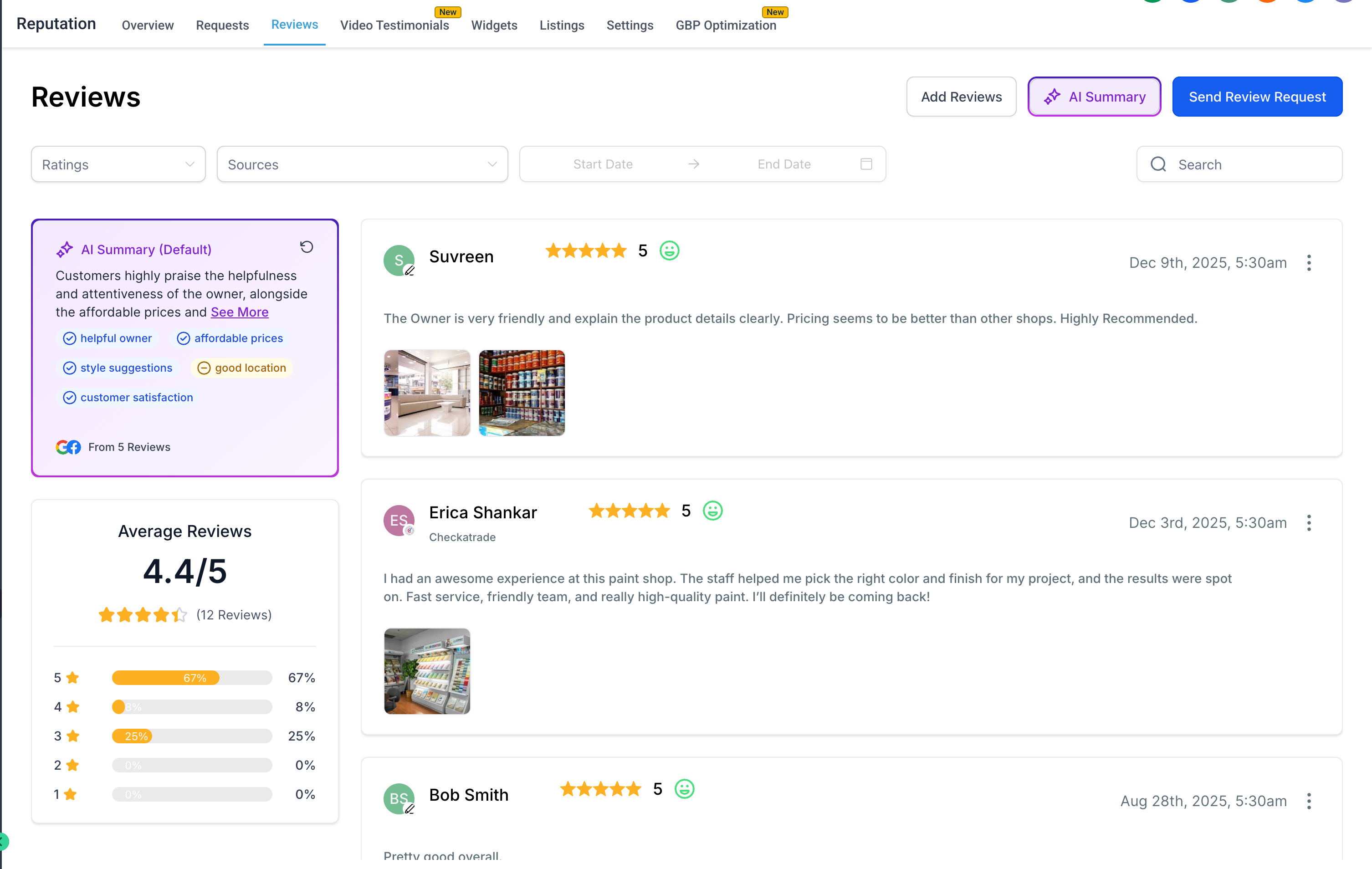
Manual reviews now appear directly inside your Reputation → Reviews list, alongside Google and other sourced reviews. New capabilities include:
Filter by Source, including “Manual pages”
Display the platform label (e.g., Checkatrade, Amazon, No Platform)
Visual consistency with fetched reviews
AI Summary compatibility
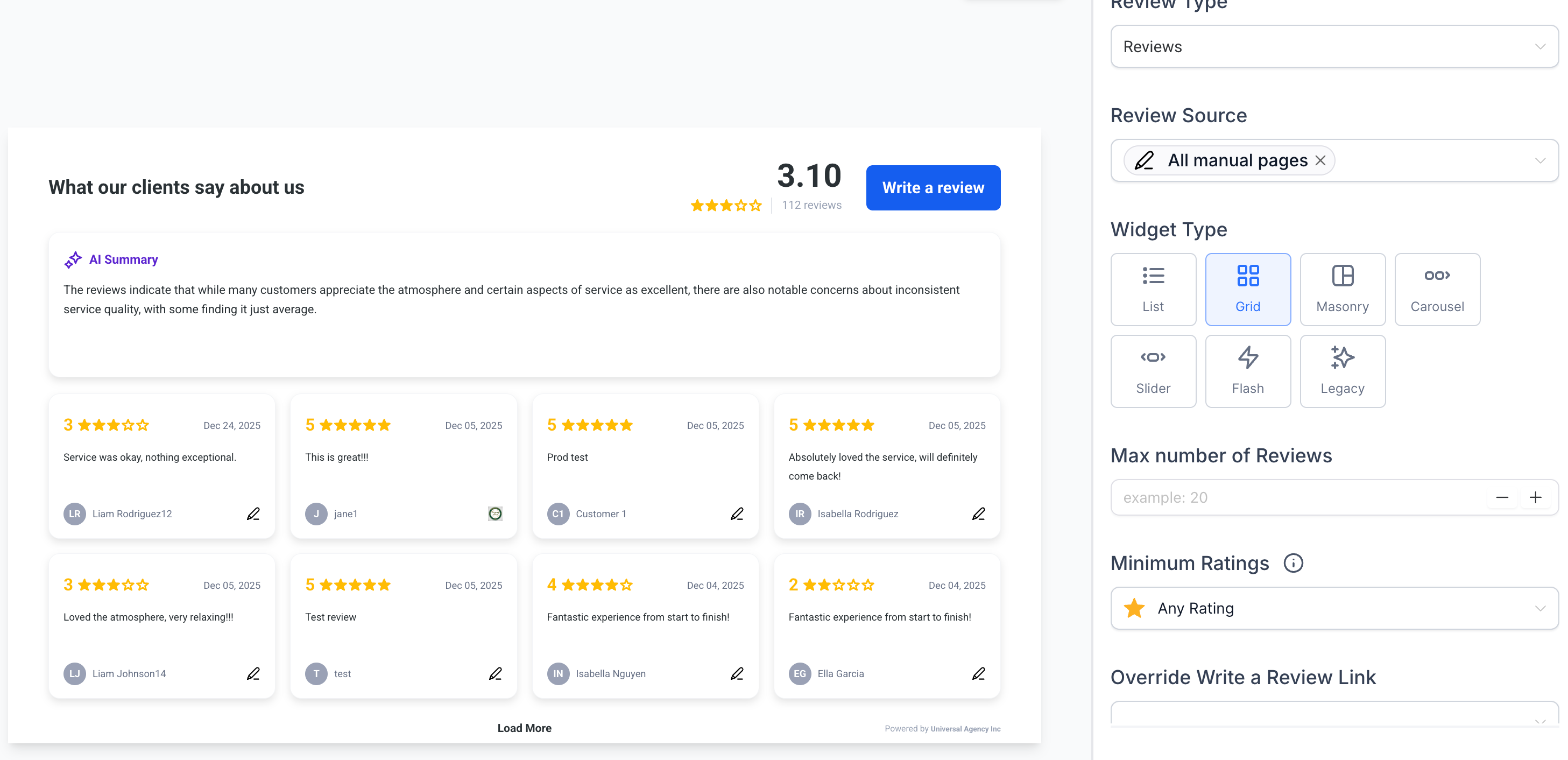
4. 🌟 Showcase Manual Reviews in Widgets
These manually added reviews can now also appear inside your Review Widgets, making it easy to display all your best feedback — regardless of where it came from.
You can:
Combine manual and fetched reviews
Filter by review source
Display them in all widget layouts (List, Grid, Carousel, Slider, Flash, Legacy)
Override “Write a Review” links
Control max review count and rating filters