
Workflow Updates: Enhanced "Opportunity Changed" Trigger
What's New
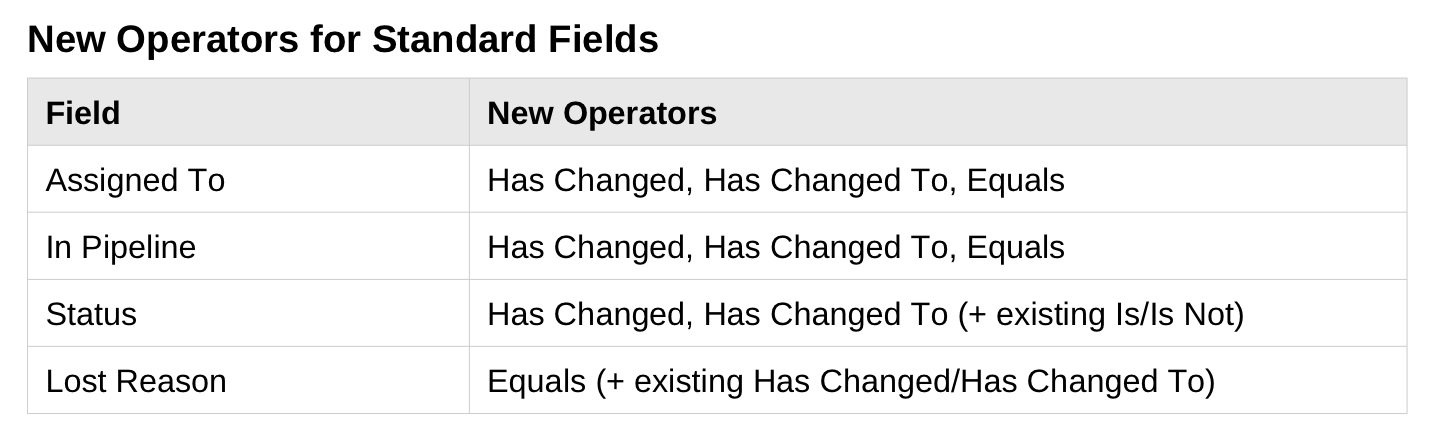
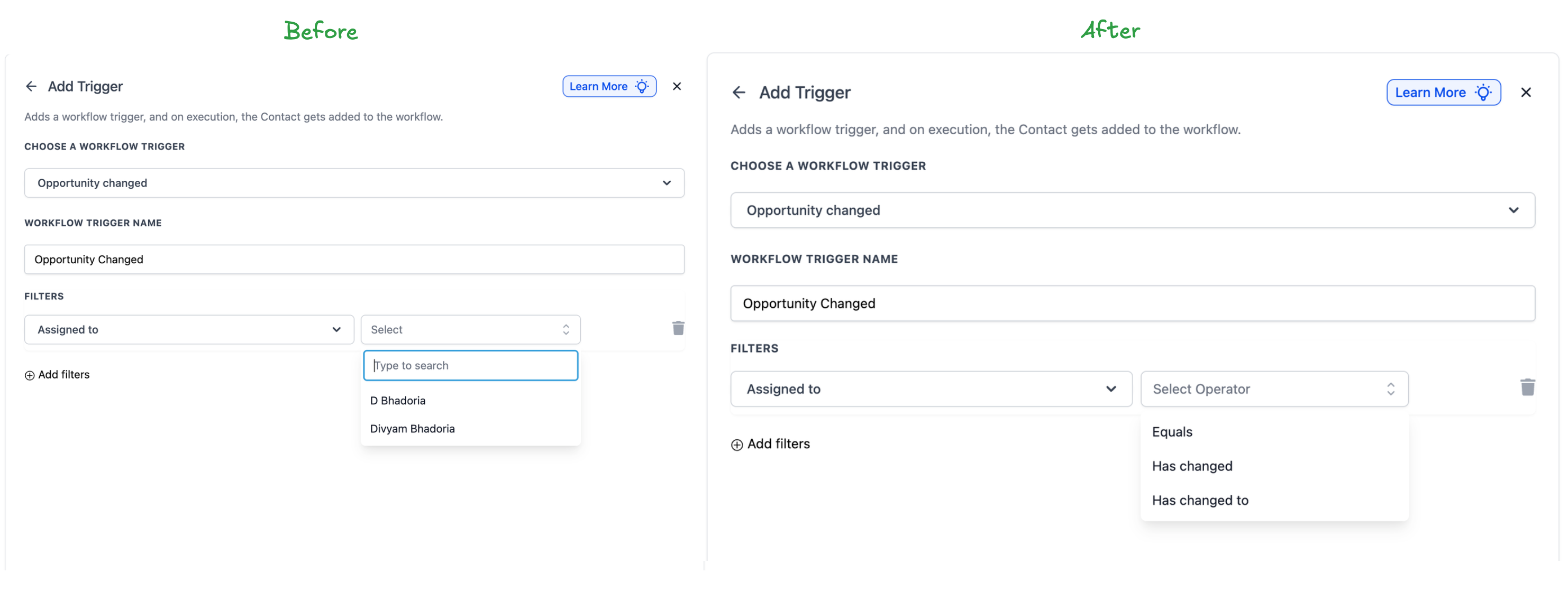
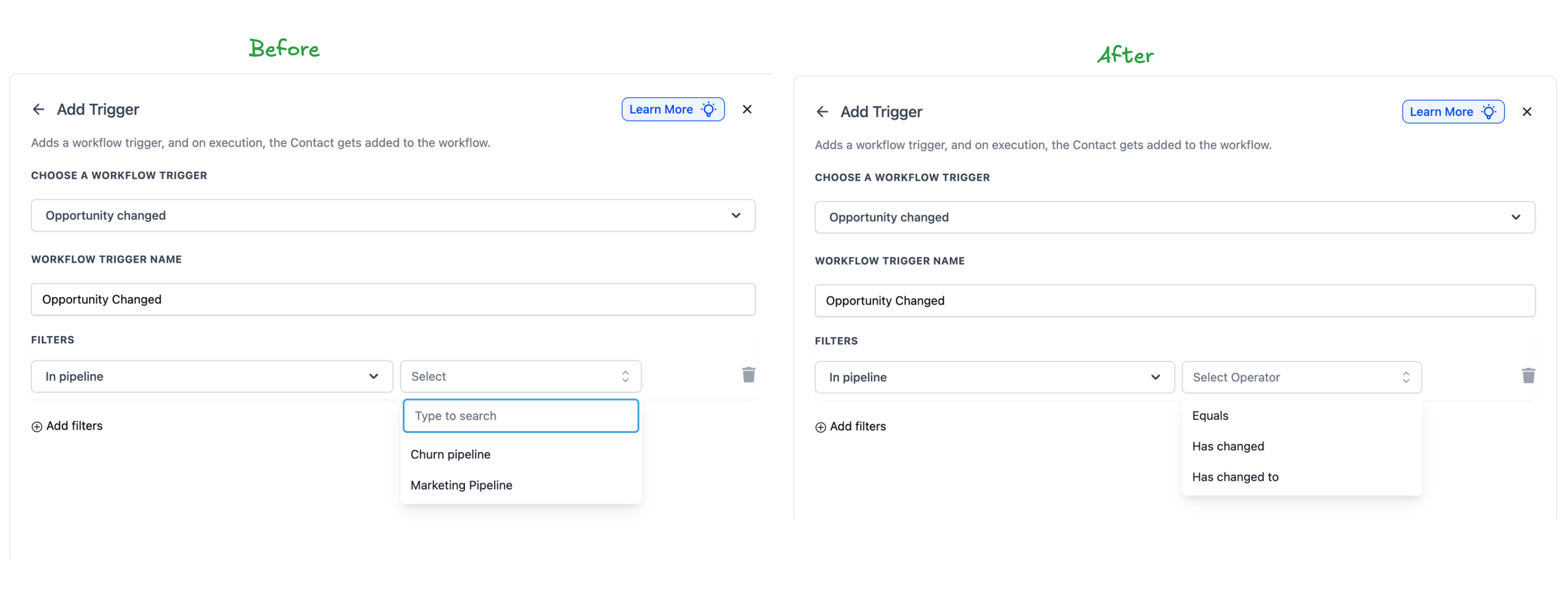
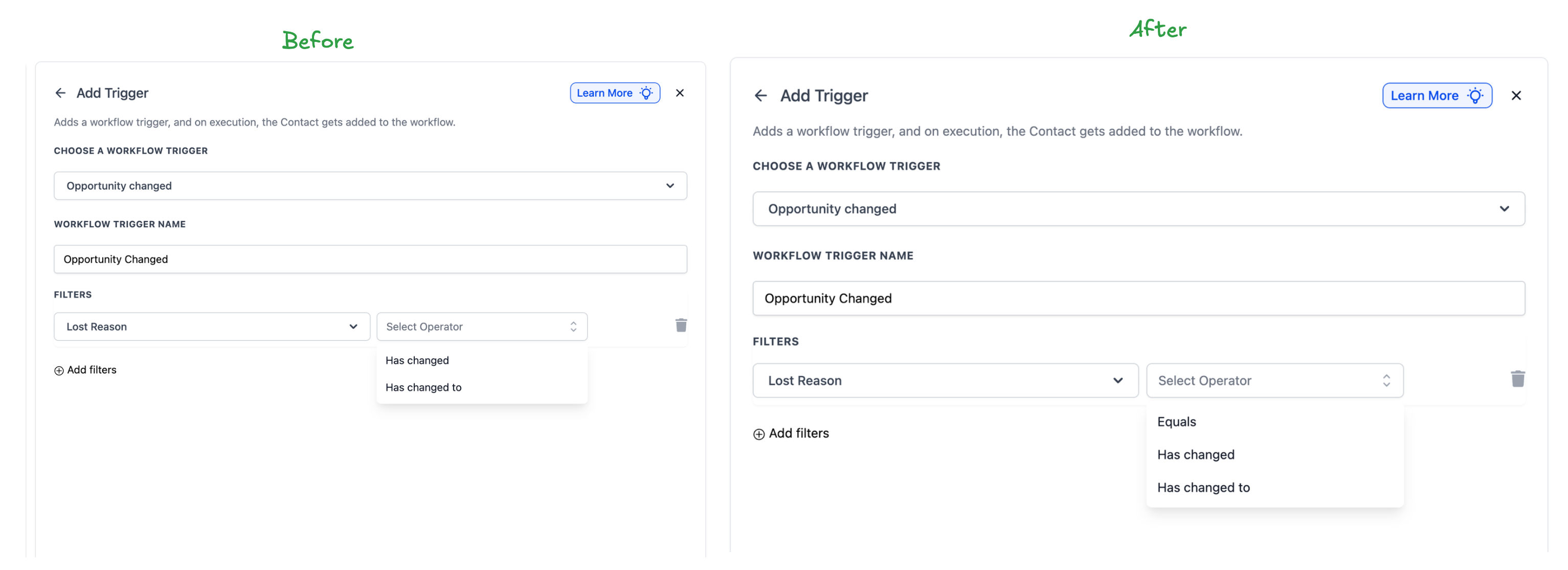
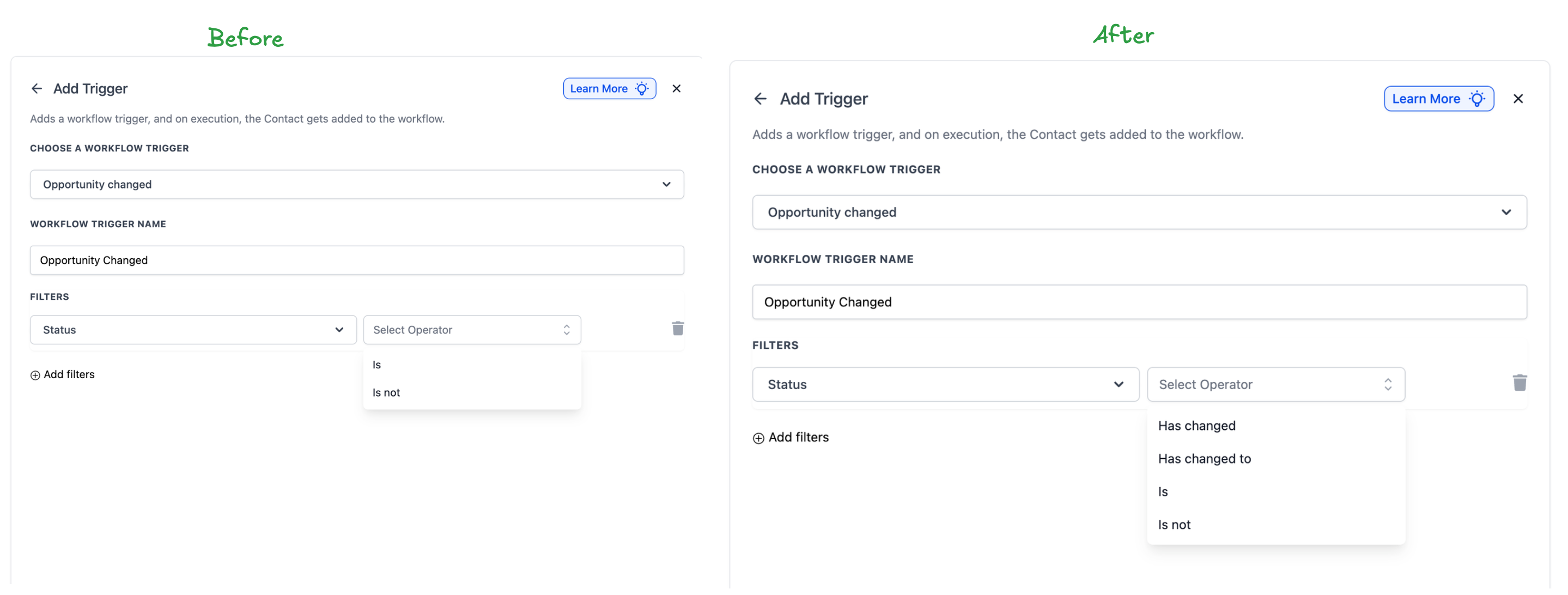
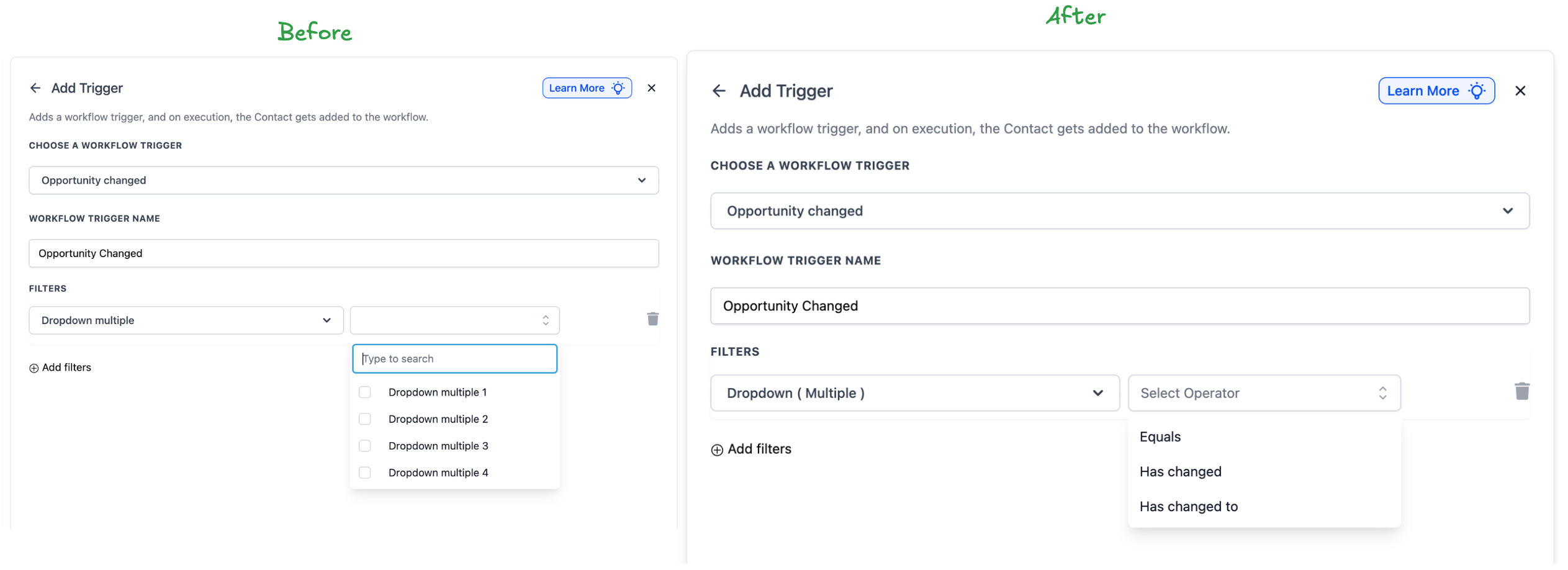
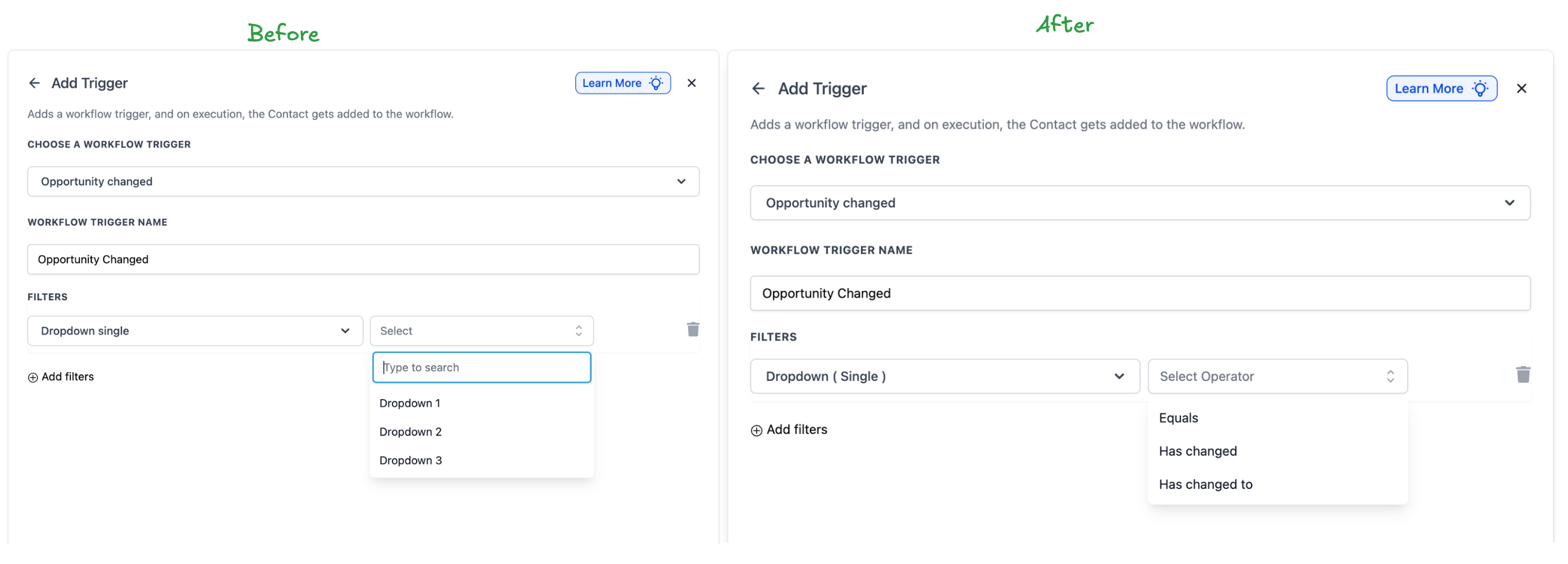
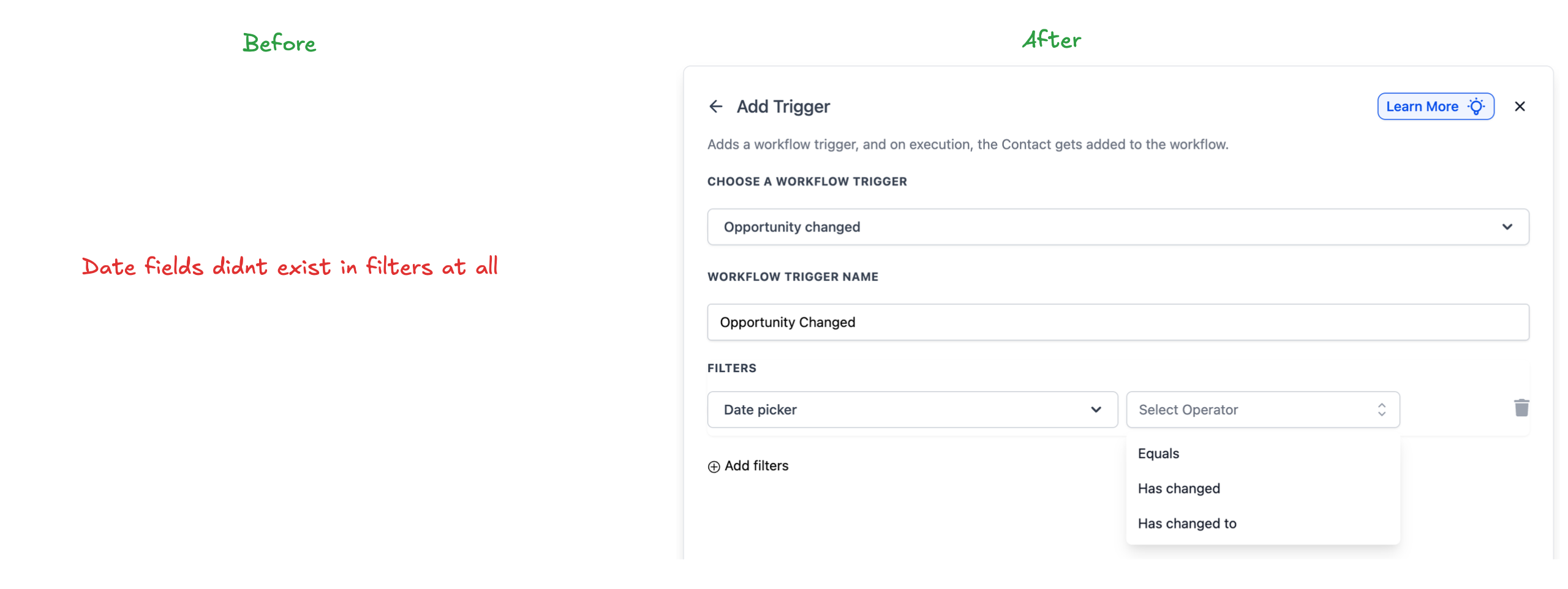
The Opportunity Changed trigger now supports event-based operators. Previously, this trigger worked as a filter—firing for any change on opportunities matching specific field values. Now, with Has Changed and Has Changed To operators, you can trigger workflows only when a specific field actually changes.
New Operators for Standard Fields
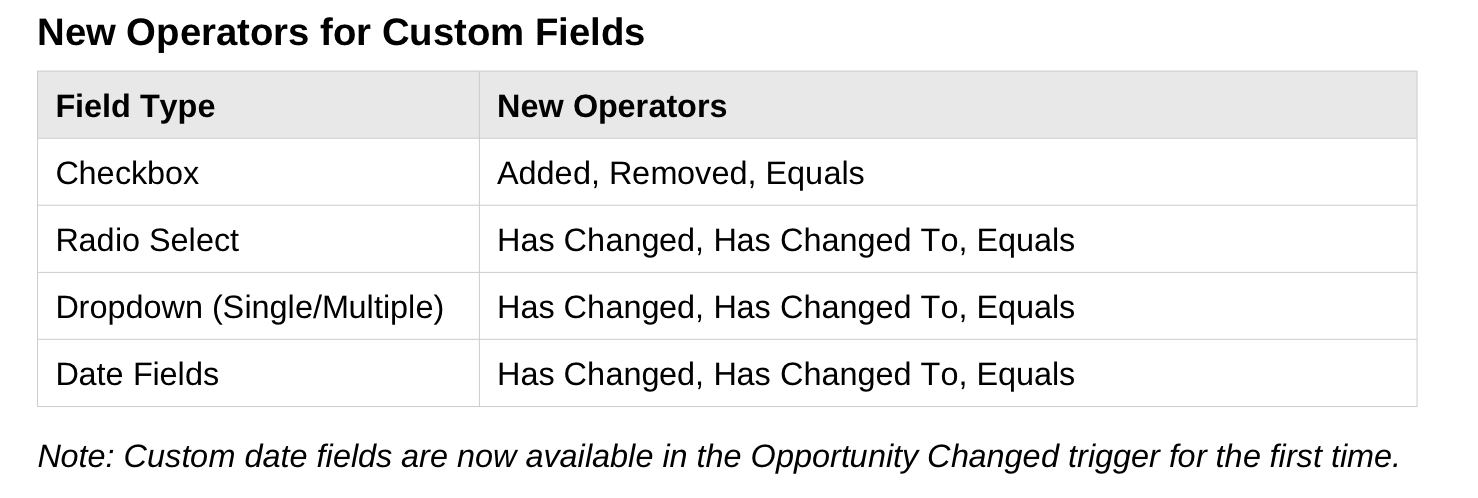
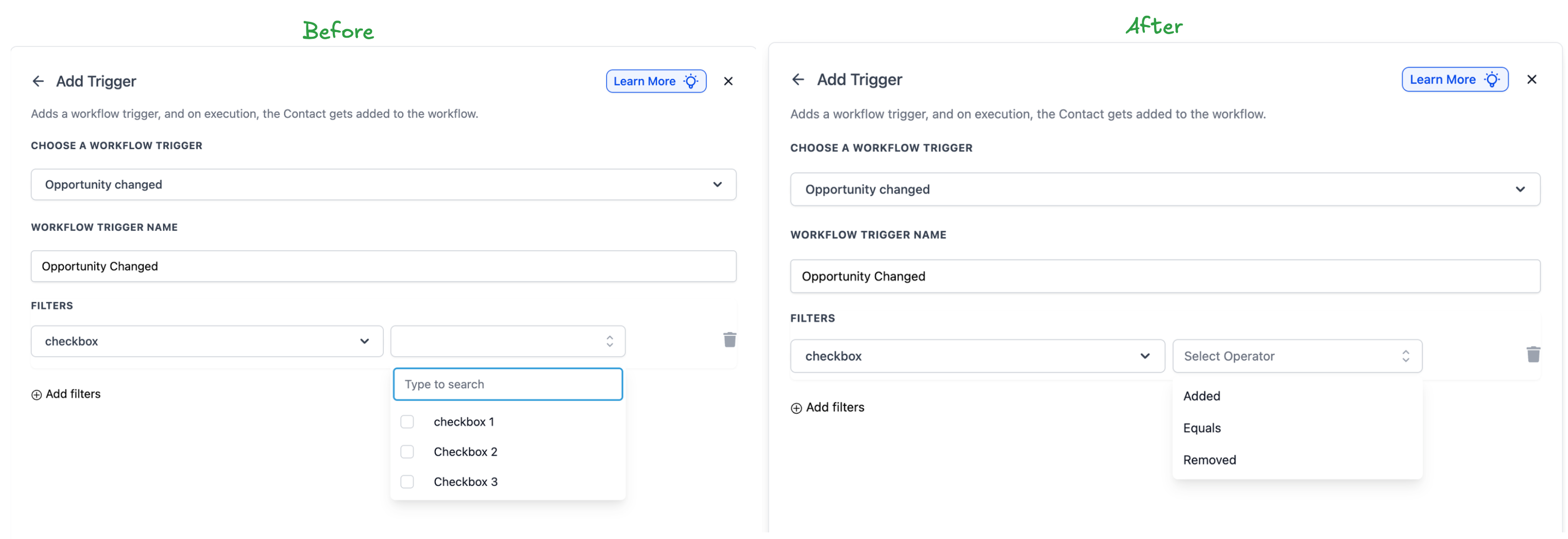
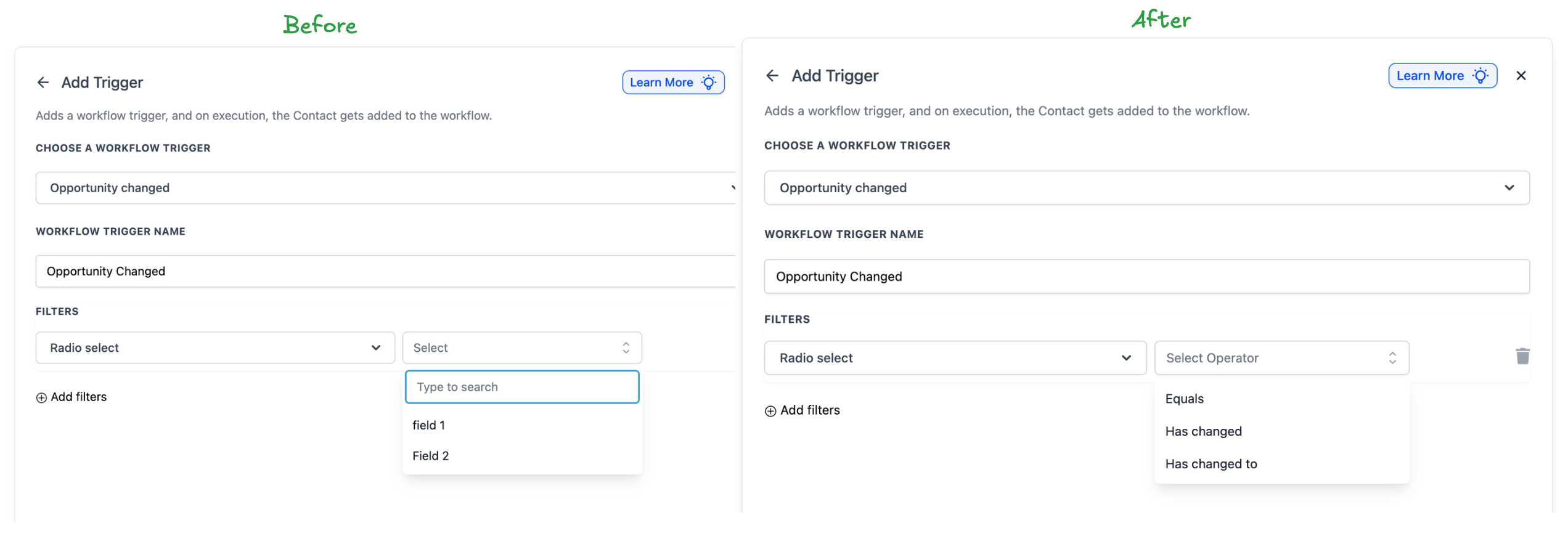
New Operators for Custom Fields
Why This Matters
Previously, setting a trigger with "Assigned To = John" would fire on every update to John's opportunities—notes, lead value, tags—creating unintended triggers.
Now, with "Has Changed To," you can trigger only when the Assigned To field changes to a specific user, ignoring all other updates.
How to Use
Add or edit an Opportunity Changed trigger, select your field (standard or custom), and choose from the new operators. Existing workflows default to "Equals" behavior, nothing breaks.